Platform / Finance
From daily transactions
to books you can explain.
Connect the invoice, the payment and the ledger in Frappe ERP. Give your finance team a clear path from everyday work to the month-end review.
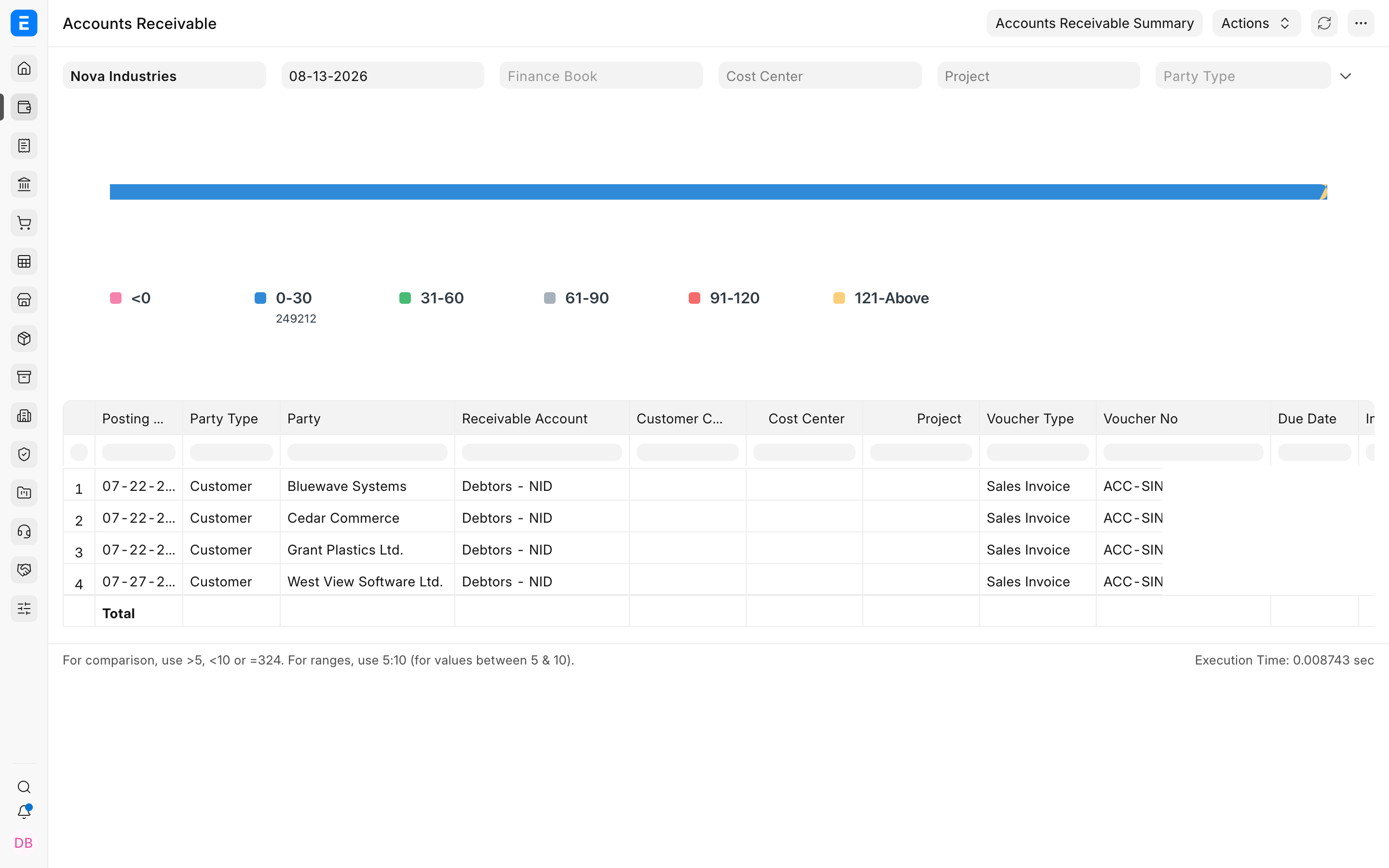
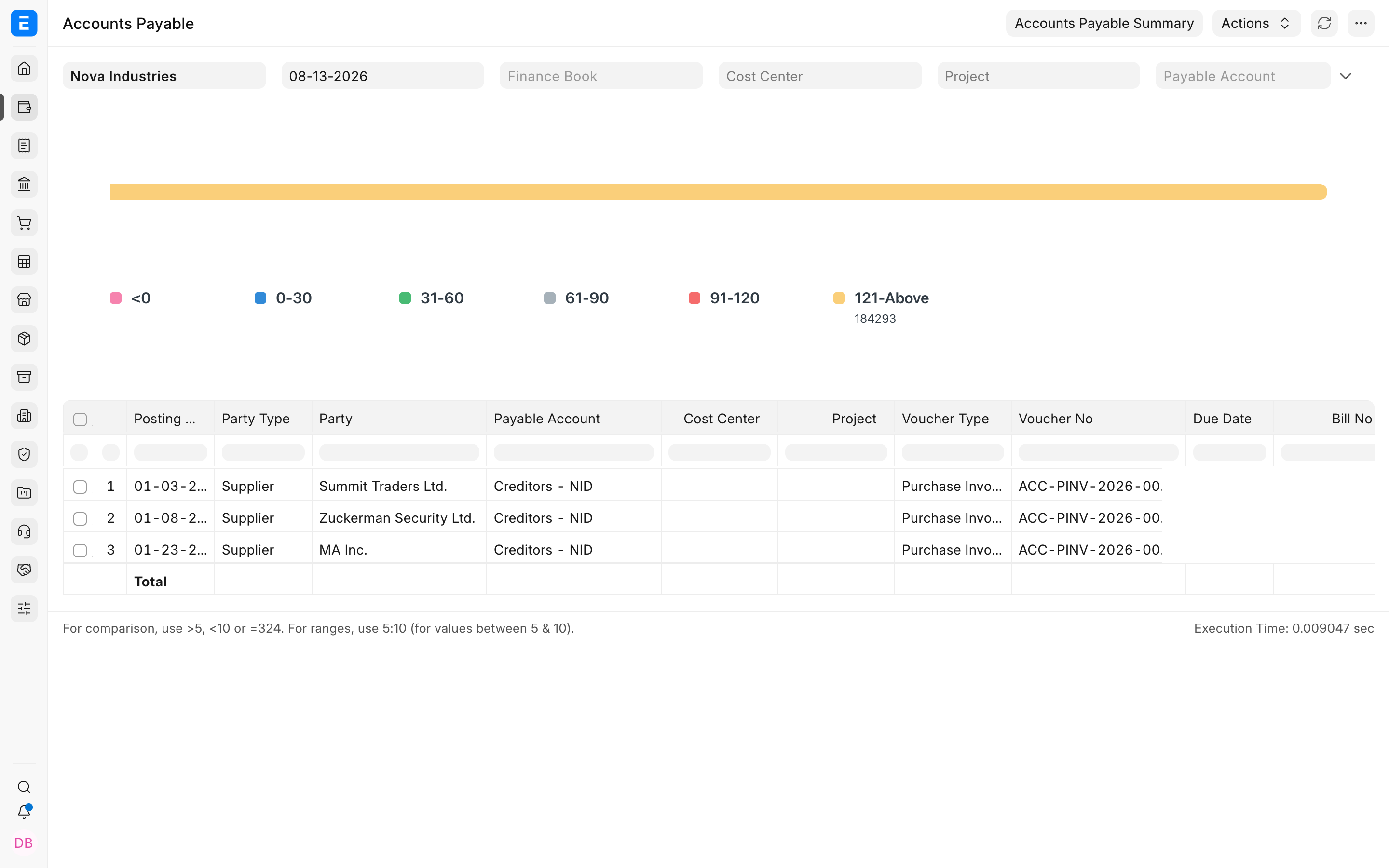
01 / Record
Keep track of
what is still owed.
Create customer and supplier invoices, then record receipts and payments against them. Review the balances that still need attention.
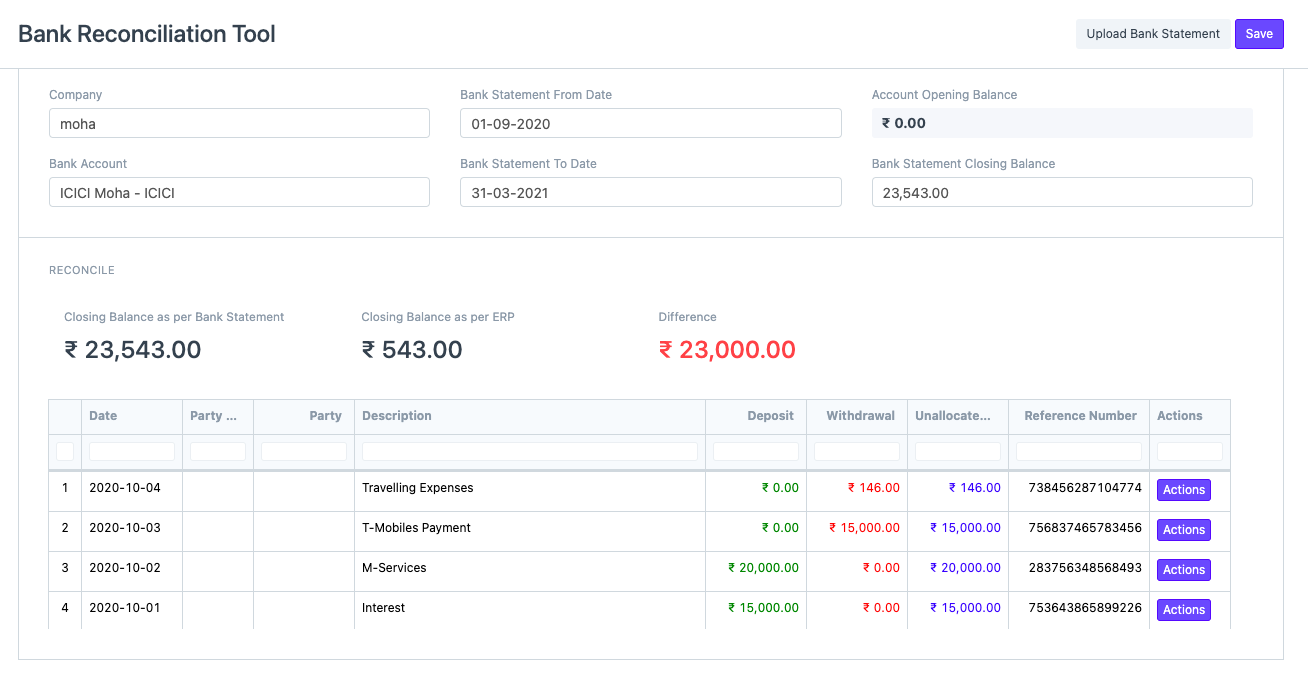
02 / Reconcile
Resolve the gaps
between bank and books.
Match imported bank transactions to recorded payments. Investigate unmatched activity so missing entries and differences have somewhere to go.
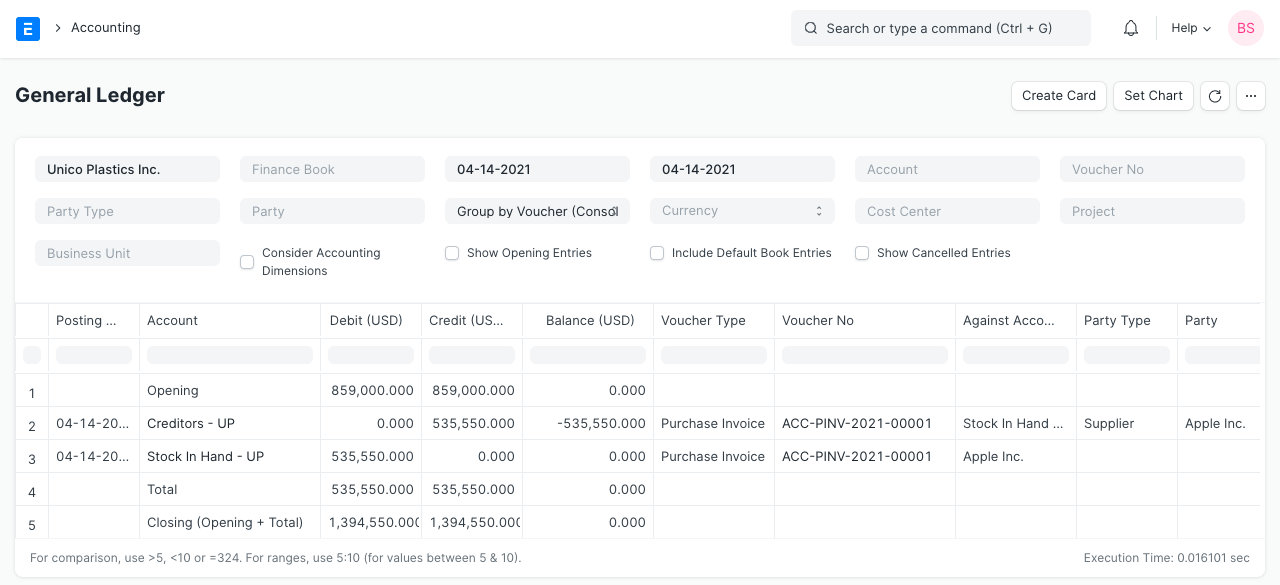
03 / Understand
Explain the result.
Decide what comes next.
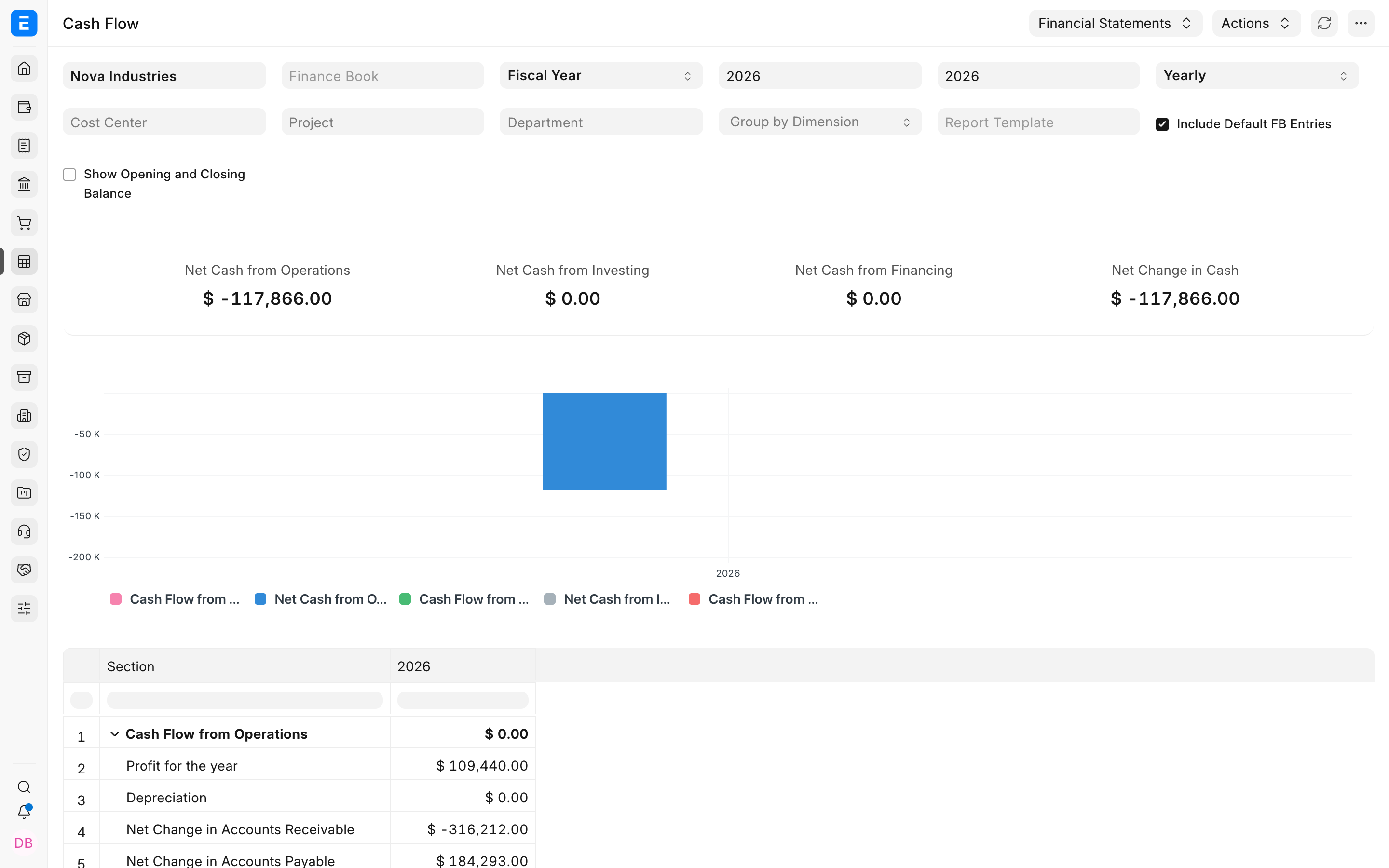
Read profit and loss, balance sheet and cash flow reports together. Use the ledger when you need the transactions behind a balance.
Need a view by department?
Configure accounting dimensions and tag transactions to filter supported reports by department or another business segment.
Connected products
Keep the work behind each balance connected to finance.
Sales & CRM
Turn Frappe ERP sales orders into invoices and follow the customer balance.
Purchasing
Connect supplier orders and receipts to bills, so finance can trace what it owes.
Inventory & Warehousing
Bring stock valuation into the books with configured perpetual inventory.