YoloWorks · Field sales tracking
See which stores your team reached today.
Review routes and visit outcomes while your sales team is in the field. YoloWorks is our proprietary product, separate from Frappe ERP. Its screens show sample activity, not customer results.
01 / Plan the round
Give every rep a clear round.
Set up beats and targets by rep, route or product. A beat is the set of outlets visited on a regular round. Bring your outlet list and visit frequency so you can agree territory ownership before rollout.

02 / Record the visit
Record what happened at the store.
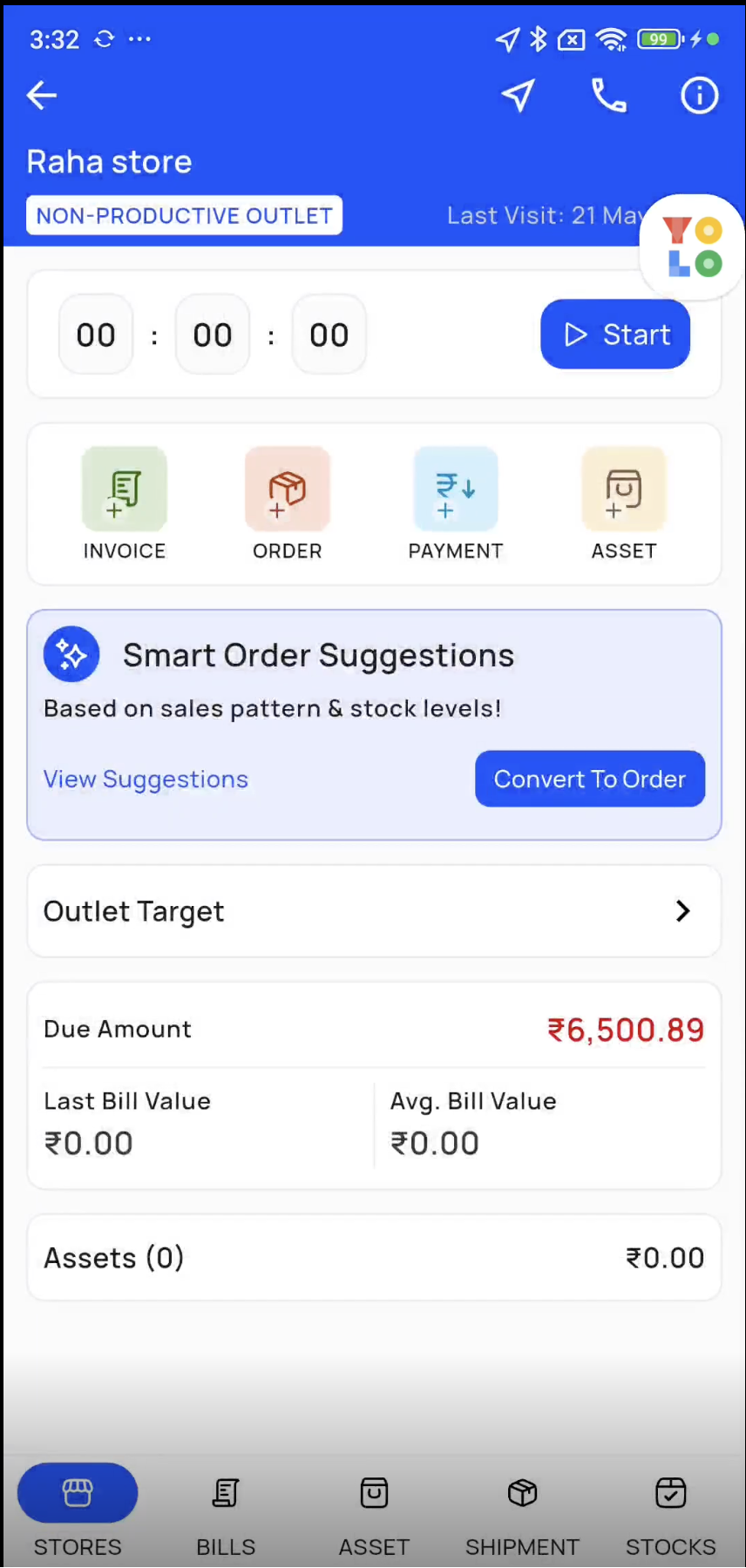
The YoloWorks mobile store-visit screen supports check-in, orders, invoices, payments and asset logging. Walk through a normal call and one where the buyer is absent. Decide which records the rep creates and which outcomes the manager reviews.
03 / Review activity
Find the outlet that needs another call.
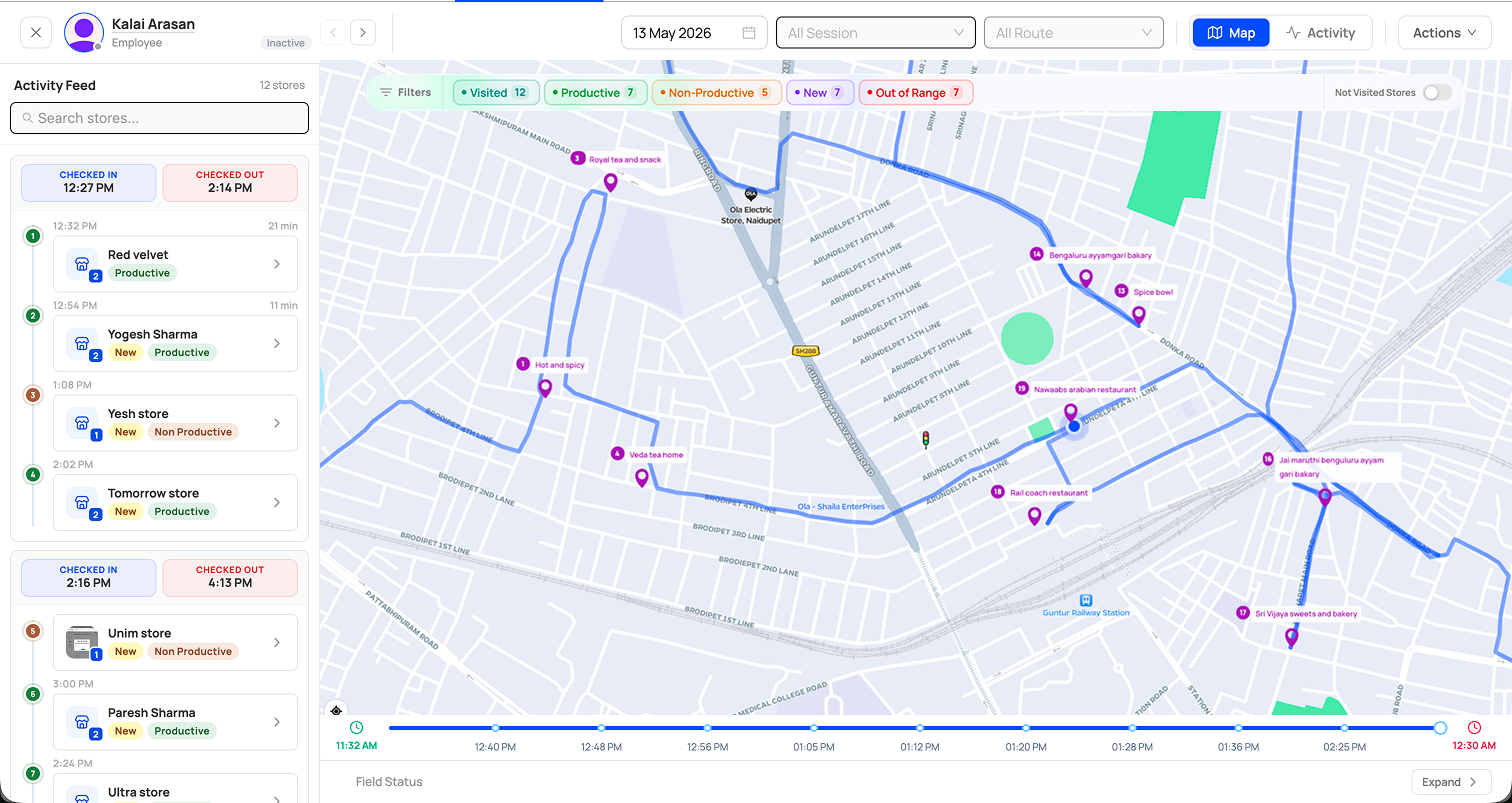
Use real-time GPS, productive visit tracking and the rep activity feed to review the day. Agree what makes a call productive, then compare the planned round with recorded visits before assigning follow-up.
Before you get started.
Is YoloWorks part of Frappe ERP?
No. YoloWorks is our proprietary product, not a native Frappe app or an open-source Frappe product. Any ERP connection requires scoped mapping and testing.
Will it work on our phones and without connectivity?
Confirm supported devices, location permissions and behavior without connectivity during evaluation. Test a representative rep and manager before wider rollout.
Can outlet orders and payments reach the ERP?
Define where customer and item records live, then agree identifiers, required fields and transfer timing. Test a representative order and payment, including failed-record handling, before approving the connection.
What should we bring to a walkthrough?
Bring one actual route with its outlet list, your definition of a productive visit and a sample order or collection record. Availability and configuration are confirmed during evaluation.
Connected products
Keep the field workflow and any ERP handover explicit.
Distribution management
Review field activity alongside distributor-to-outlet sales.
Sales & CRM
Agree whether an outlet order should create an ERP sales order.
Integrations
Scope data mapping and recovery for any ERP connection.