
Financial services
Keep supplier spending visible.Follow payments into the books.
Connect supplier bills, department costs and bank settlement in Frappe ERP, so your finance team can review corporate spending from one set of records.
The daily problem
A bill needs an owner before it needs a payment.
Office purchases, subscriptions and service-provider charges reach finance from different teams. Without a shared reference, it is hard to see who accepted the service, where the cost belongs and whether the payment cleared.
This is corporate administration, not a lending, trading or core banking engine. Custody and regulatory reporting are outside this scope. Regulated transactions stay in specialist systems. Any interface and its reconciliation need separate assessment.
Connect the bill, its cost owner and settlement.
Record supplier invoices, assign agreed reporting dimensions and match payments to bank transactions. Finance defines approval responsibilities and shared-cost allocations.
Record supplier bills
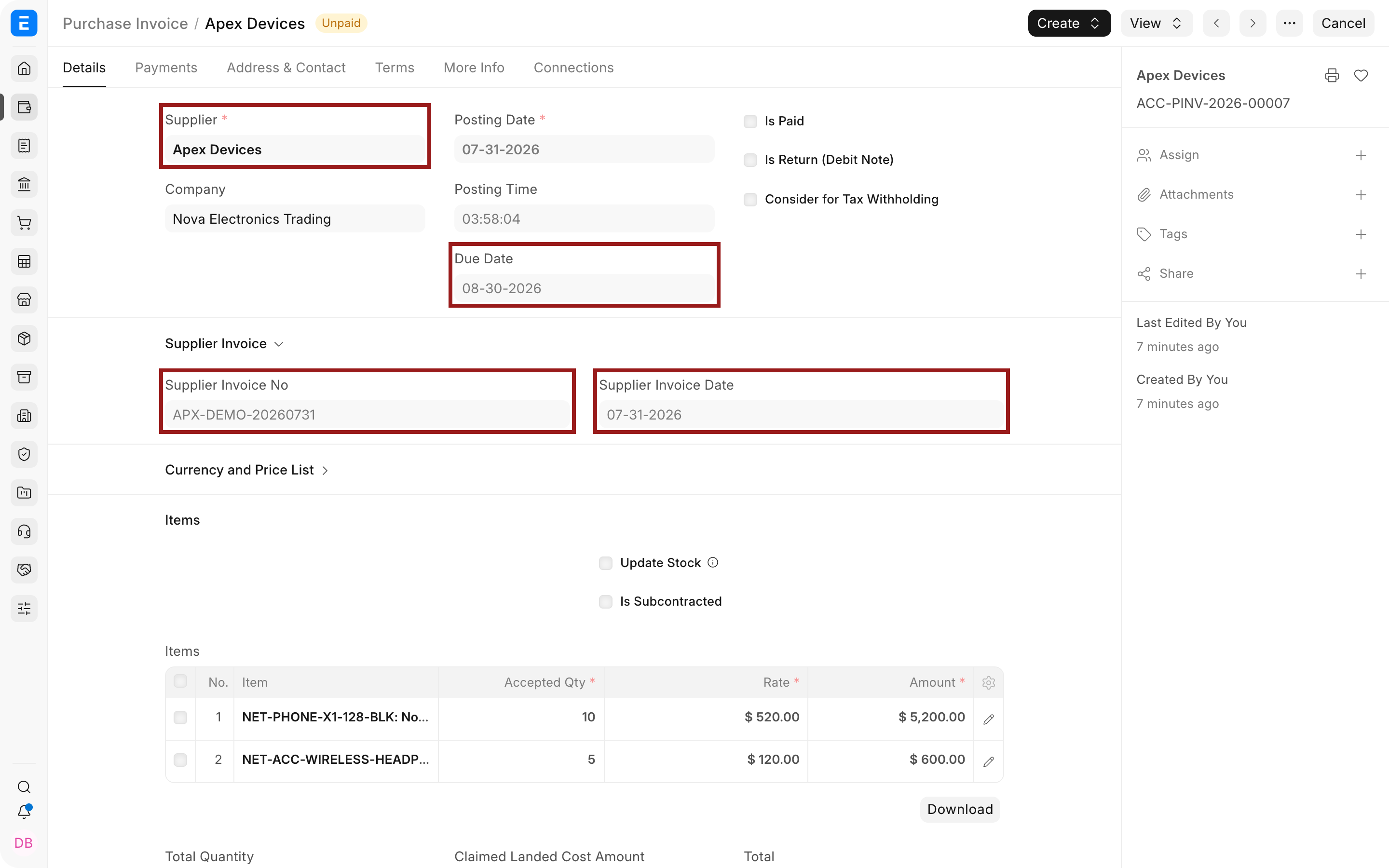
Keep bill references, due dates and Purchase Order links with each Purchase Invoice.
Review what is owed
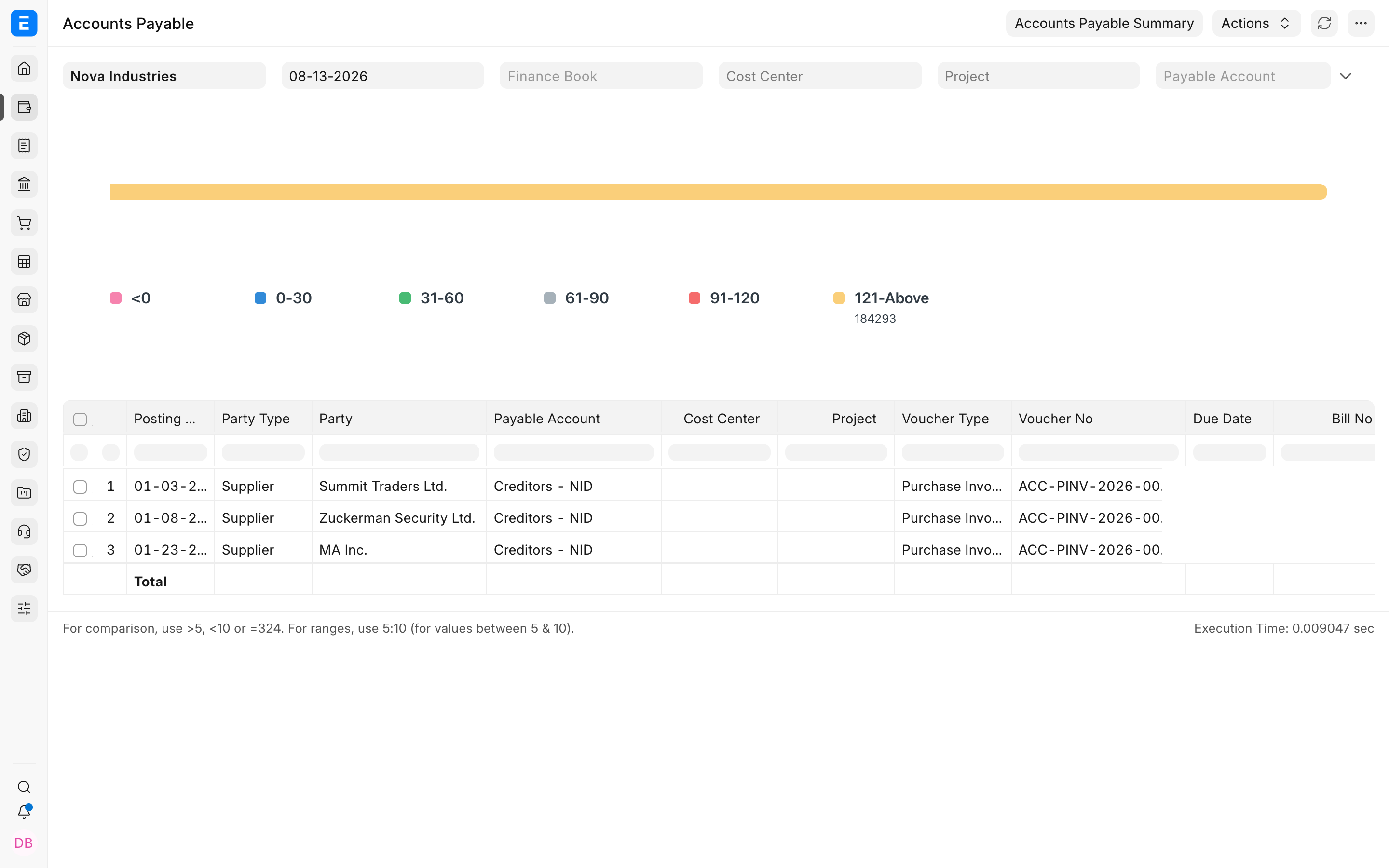
Use Accounts Payable to examine outstanding supplier balances and aging before preparing payments.
Assign expense dimensions
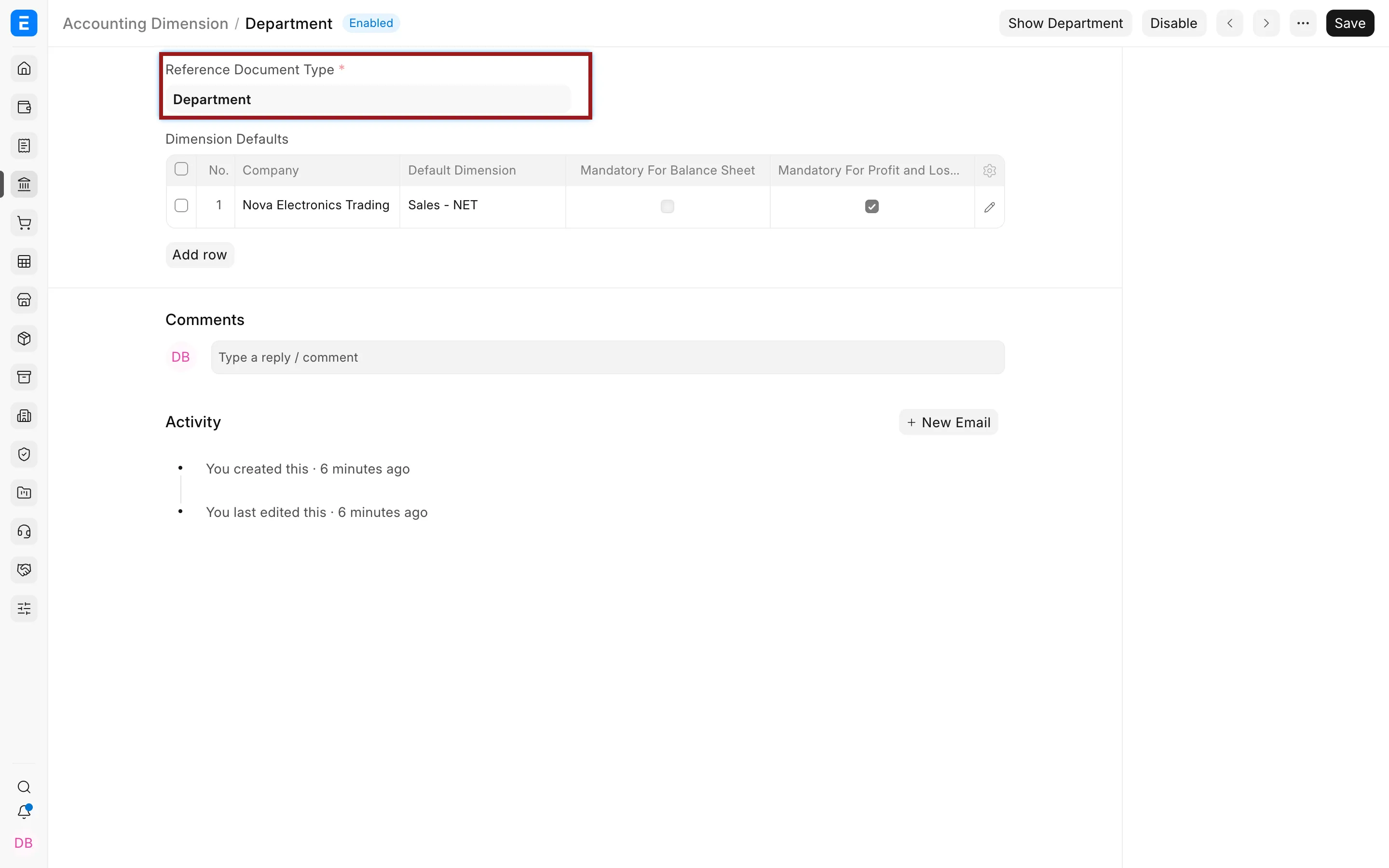
Configure department or branch categories for entries and reports. Finance decides how shared costs are allocated.
Separate approval roles
Agree who prepares, accepts and approves a charge, including how disputed invoices are held for review.
Record supplier payments
Use Payment Entry to allocate payments to the agreed supplier documents.
Reconcile settlement
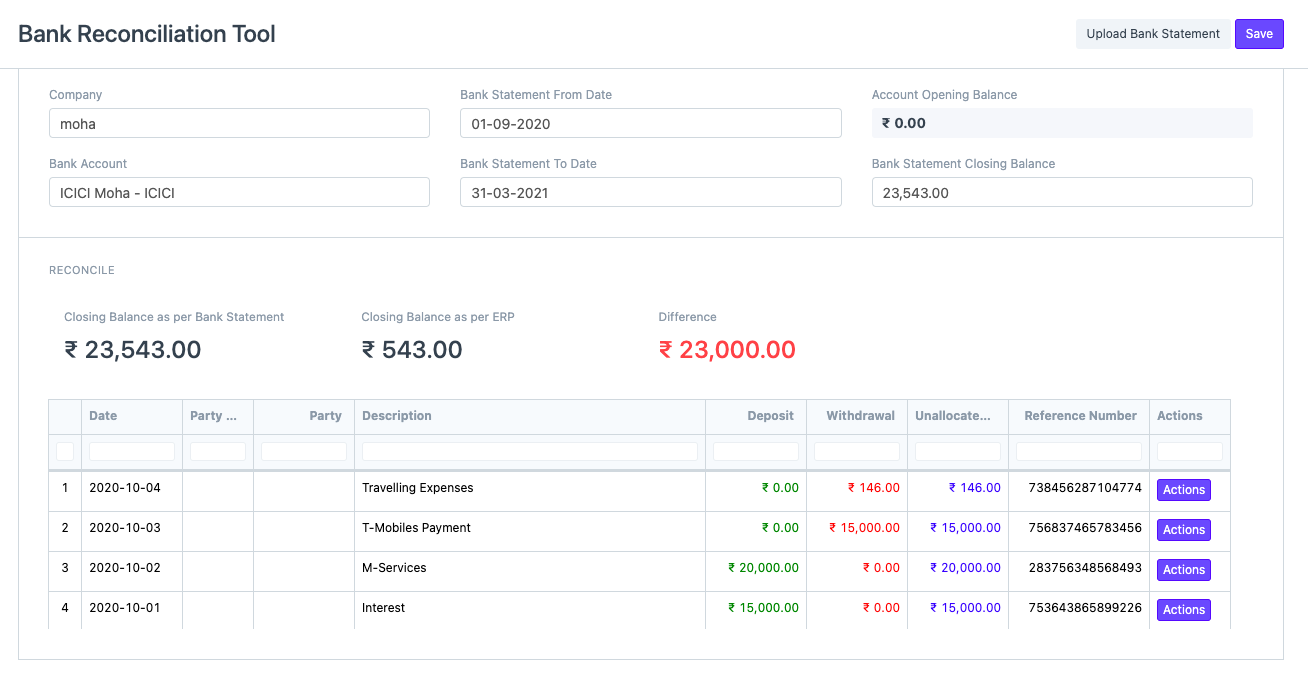
Match bank transactions with the books and investigate fees or unmatched items before closing the period.
Inside Frappe ERP
See the records behind the work.
Review supplier charges, department cost categories and bank settlement in the records your finance team uses.
Check the supplier charge
Review invoice references and due dates, then inspect outstanding balances in Accounts Payable.
Define the reporting category
This Accounting Dimension example uses Department as the reference document type.
Match the settlement
Bank Reconciliation brings statement transactions and matching actions into the finance review.
The people doing the work
One set of records. Different responsibilities.
Finance controllers
Review corporate balances and agree the treatment of shared costs.
Department owners
Check supplier charges and provide the evidence needed to approve them.
Accounts payable teams
Follow invoices into payments and investigate unmatched bank entries.

Connected modules
Connect corporate spending and reporting.
- Accounting
Review corporate balances and expenses.
- Purchasing
Record commitments and supplier bills.
- Integrations
Scope interfaces with specialist systems.