YoloWorks · Distribution management
See what sells beyond the distributor.
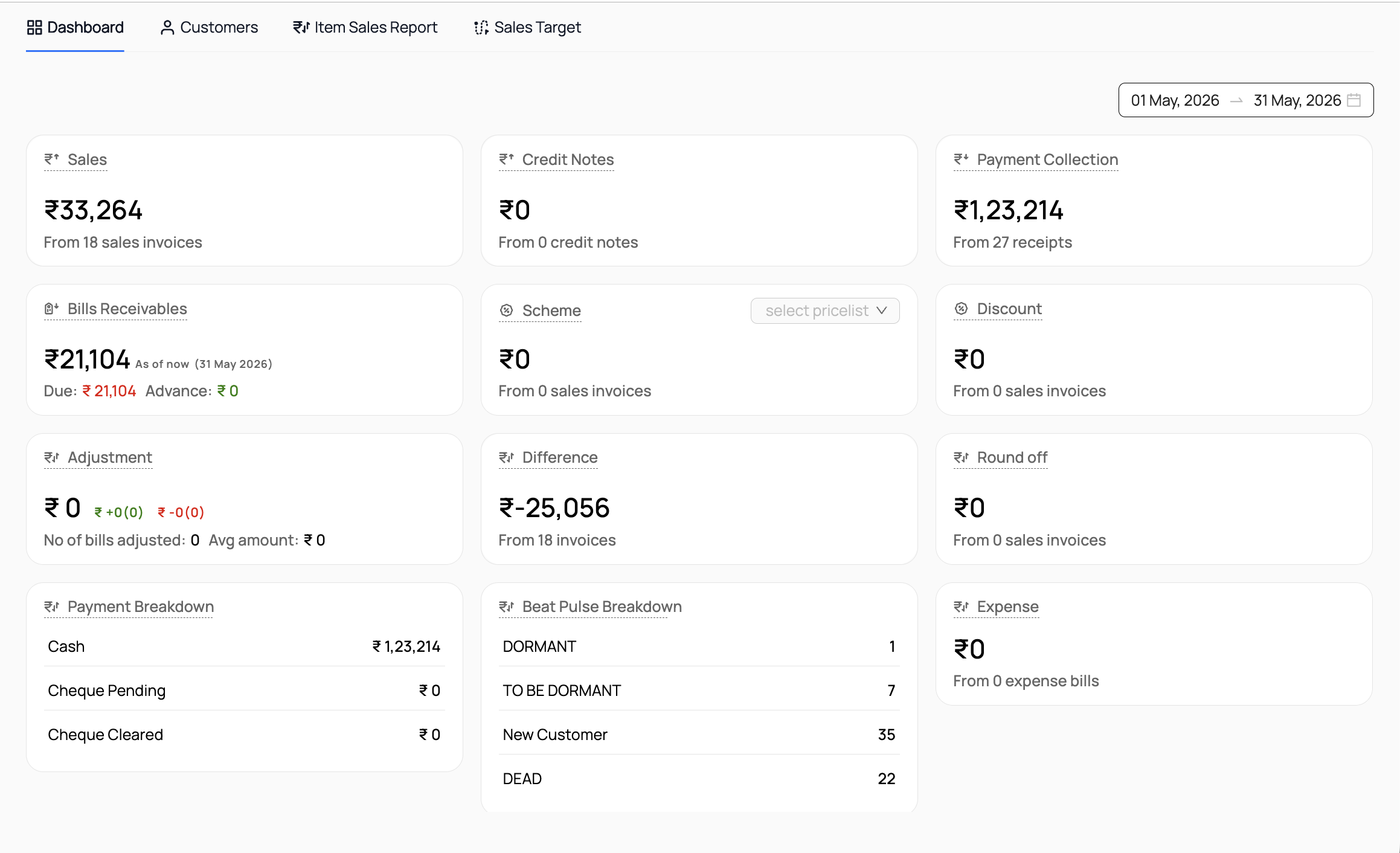
Review sales into your distribution network and onward to outlets. YoloWorks is our proprietary product, separate from Frappe ERP. Its dashboard shows sample figures, not customer results.
01 / Follow the sale
Separate sell-in from sell-through.
YoloWorks captures primary sales into distributors and secondary sales from distributors to outlets. Start with the same product at both stages. Agree who enters each record and how distributor and outlet identities are maintained.

02 / Record the collection
Follow the outlet order through payment.
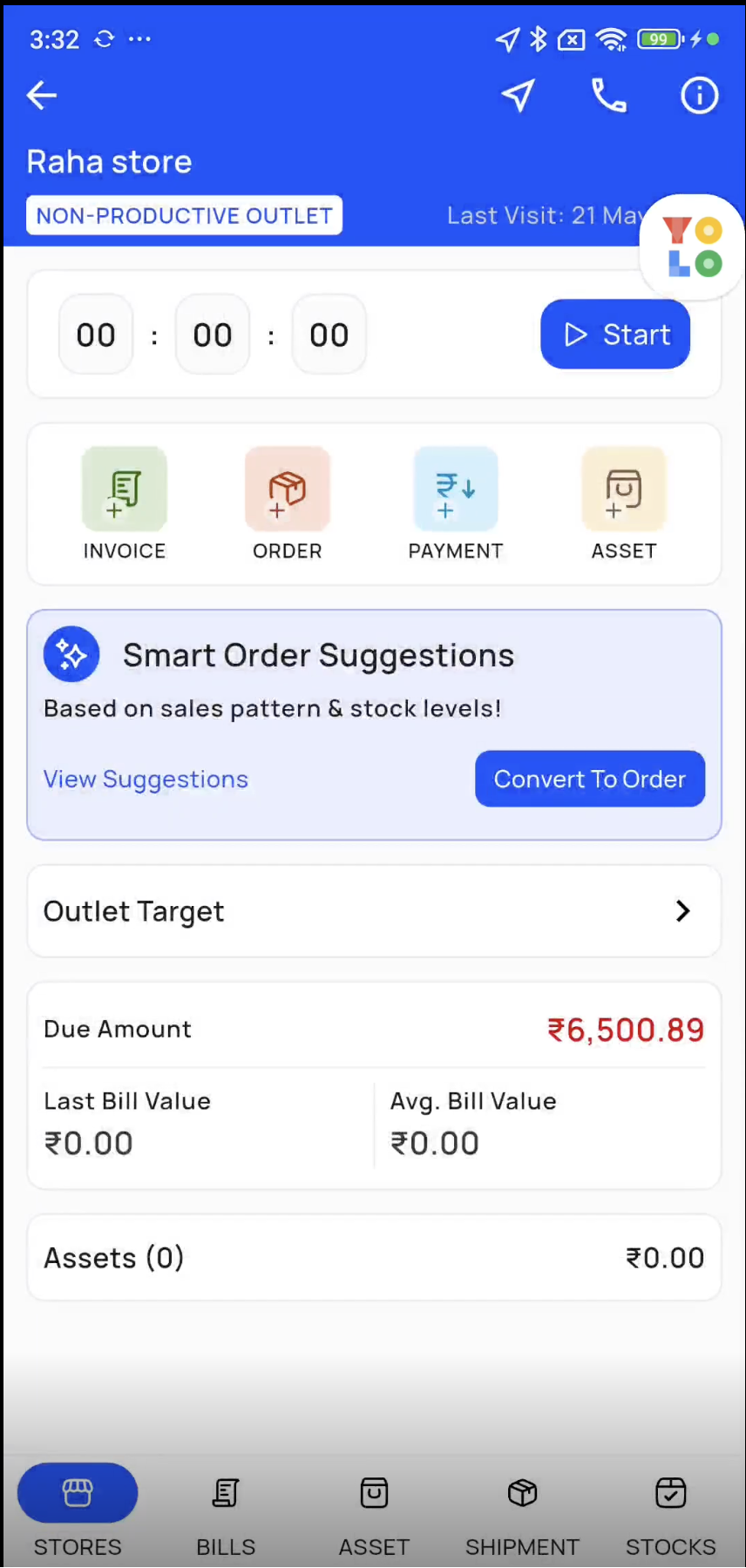
Use the mobile store-visit actions for orders, invoices and payment collection. Walk through a repeat order with sales and finance, then identify which system holds the final accounting record. Any ERP handover needs a tested scope.
03 / Review the territory
Look behind the area total.
The area dashboard brings sales, collections and Beat Pulse breakdowns into view. Reconcile a sample against your records, including outstanding balances. Confirm category definitions and opening-balance treatment before using the report to prioritise outlets.
Before you get started.
Is this an open-source Frappe distribution module?
No. YoloWorks is our proprietary product, separate from Frappe ERP. Its product configuration and any connection to Frappe ERP are evaluated and scoped separately.
Are stock, returns and credit rules included?
These requirements need a demonstration and explicit scope. Do not assume that recording a secondary sale also covers your stock reconciliation, return approvals or credit controls.
What should we use to evaluate the product?
Bring a primary sale and secondary order for the same product, your distributor and outlet structure, and a collection report. Compare the reporting period and transaction states with the area manager’s current review.
Who owns rollout and support?
Agree data preparation, training and the first reporting review before rollout. Name the product support owner and the owner of any integration. Confirm availability and configuration during evaluation.
Connected products
Connect territory activity to the records finance relies on.
Field sales tracking
Review routes and store visits behind outlet orders.
Accounting & Finance
Agree where invoices, receivables and payments are authoritative.
Integrations
Map outlet identifiers and reconcile each scoped handover.