Platform / People
Keep employee records ready for the next pay period.
Connect employee changes, leave approvals and payroll preparation. Frappe HR is a separate HR and payroll app alongside Frappe ERP; ERPNova configures the policies, access and handoffs your team needs.
01 / Employee lifecycle
Start with the person and the rules that apply.
Keep company, department, joining details and employment status together. Manage onboarding, transfers and separation in Frappe HR, so employee changes have a clear record.
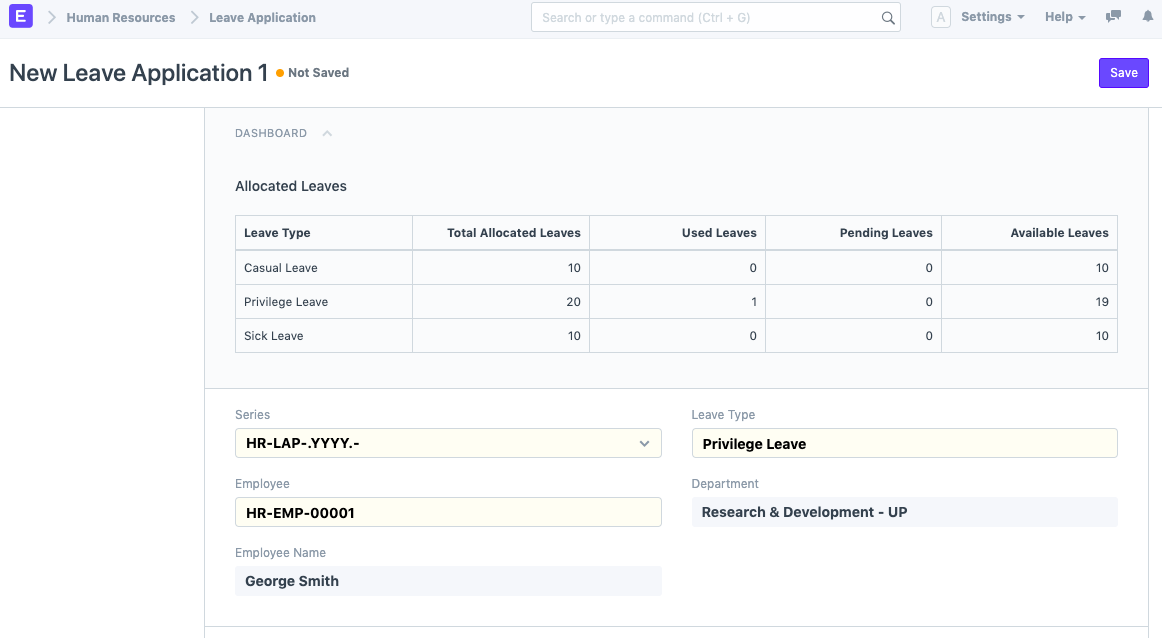
Assign the right leave policies and holiday calendars. See the allocations behind a request, while keeping manager access separate from access to salary details.
Who should be able to see salary information?
Set permissions by responsibility. Employees, leave approvers and payroll administrators need different access; ERPNova configures and validates these roles before launch.
02 / Leave & attendance
Resolve the absence before payroll closes.
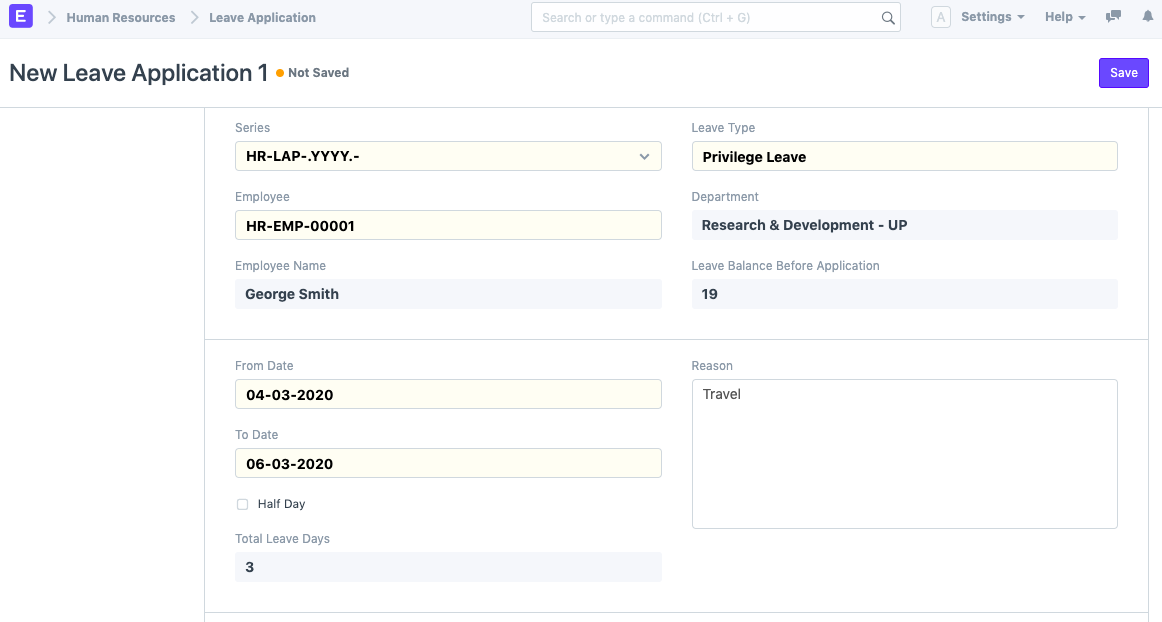
Let employees request leave against their allocations and route it to the configured approver. Keep dates, balances and the approval decision together.
Review attendance and absence exceptions before payroll preparation. Holiday lists and leave policies govern the calculation; attendance-device connections need a separately scoped integration.
What happens to leave after salary has been processed?
Leave submission is restricted for periods whose salary is already processed. Corrections need an agreed payroll process, rather than an assumption that a closed run will recalculate.
03 / Payroll & expenses
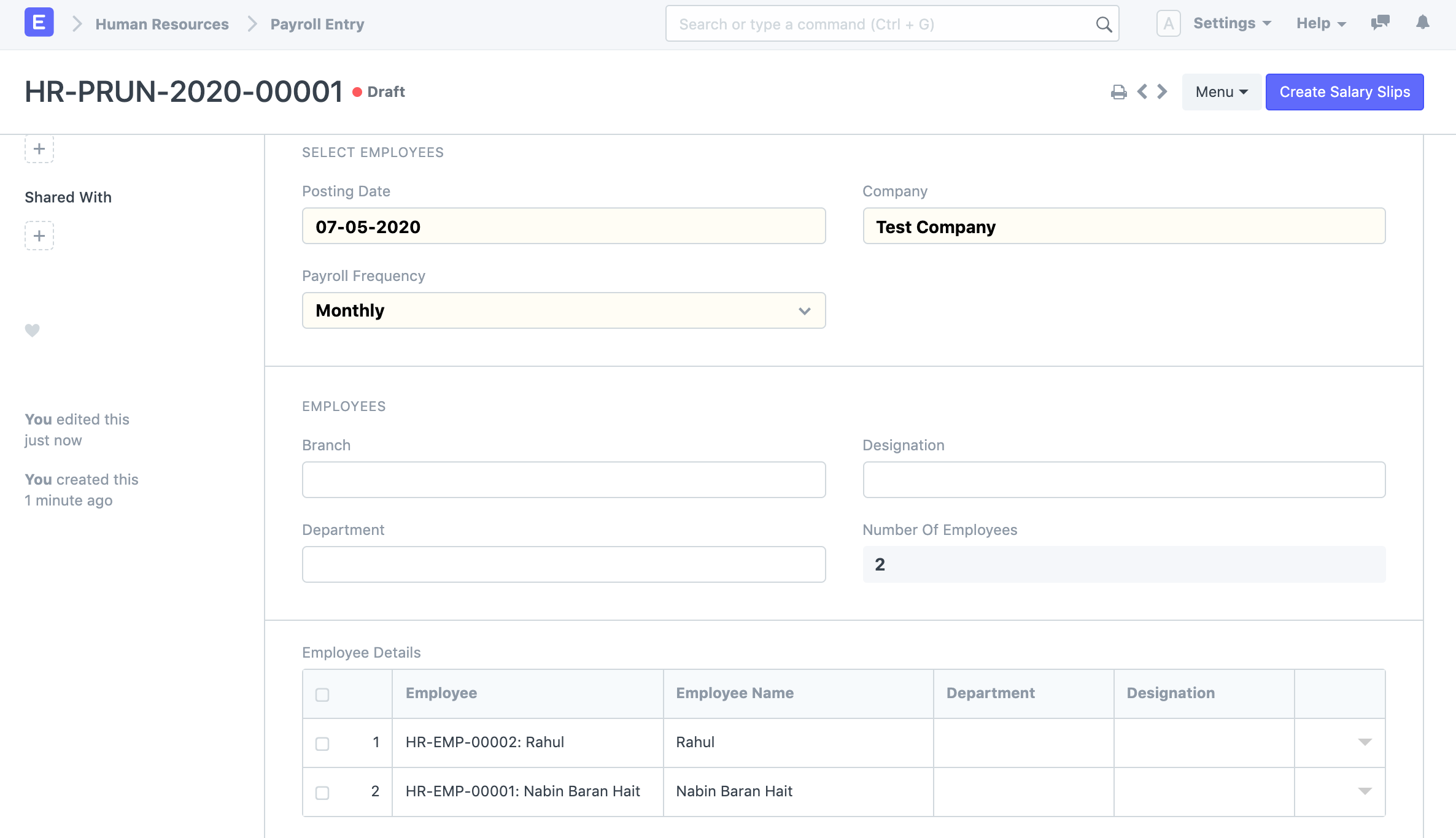
Review the slips before you submit the batch.
Prepare salary slips by company, department or branch. Review the employee list and calculations before submitting payroll, and keep Expense Claims connected to their approver and reimbursement amounts.
Connect approved amounts to finance through configured accounts. Payroll statutory rules, filing outputs and integrations require validation for each jurisdiction and provider.
Does a payroll bank entry send money to employees?
No. It creates an accounting Journal Entry, not a bank transfer. Bank formats, payment authorization and any payout integration must be scoped separately.
Connected products
Connect approved people records to the teams and systems that use them.
Reconcile payroll accruals and employee expense obligations with finance.
Scope attendance devices, payroll-provider exchanges and bank formats.
Plan compatible Frappe HR and Frappe ERP versions, access and backups.