Distribution & FMCG
Know what you can deliver.Resolve what comes back.
Connect receipts, deliveries, returns and customer credit in Frappe ERP, so warehouse and finance teams can trace an order together.
The daily problem
A dispatched order can still leave work unfinished.
A supplier delivers short, a customer takes part of an order and damaged goods come back. When the warehouse record and customer balance drift apart, neither team knows which exception is still open.
Batch and expiry tracking requires item setup and receiving checks; it does not automatically make goods safe to sell. YoloWorks is a separate proprietary product for distribution and field sales. ERP connections need agreed mapping and reconciliation.
Keep the goods and the balance connected.
Record accepted receipts, partial deliveries and returns against their source documents. Finance can then review the matching invoice or credit with warehouse staff.
Receive the actual quantity
Record accepted and rejected goods in a Purchase Receipt, using the agreed pack conversions and warehouse.
Check batch details
Capture batch and expiry information for configured items. Staff decide how to separate unsuitable stock.
Deliver in parts
Use Delivery Notes for quantities dispatched against an order and keep the remaining commitment visible.
Inspect returned goods
Reference the original sale and agree whether returned goods are saleable before making them available again.
Resolve customer credit
Use the return and credit documents appropriate to the original transaction. A physical return alone does not settle the account.
Trace stock movements
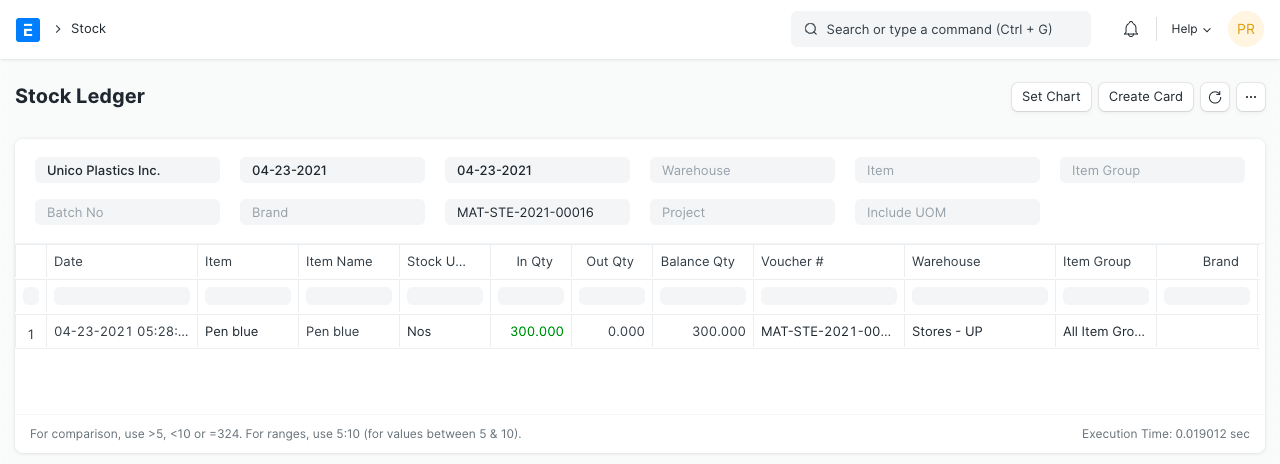
Use Stock Ledger voucher references to investigate differences before approving a stock adjustment.
Inside Frappe ERP
See the records behind the work.
Trace goods through receipts, deliveries and returns, with the stock and credit records behind each movement.
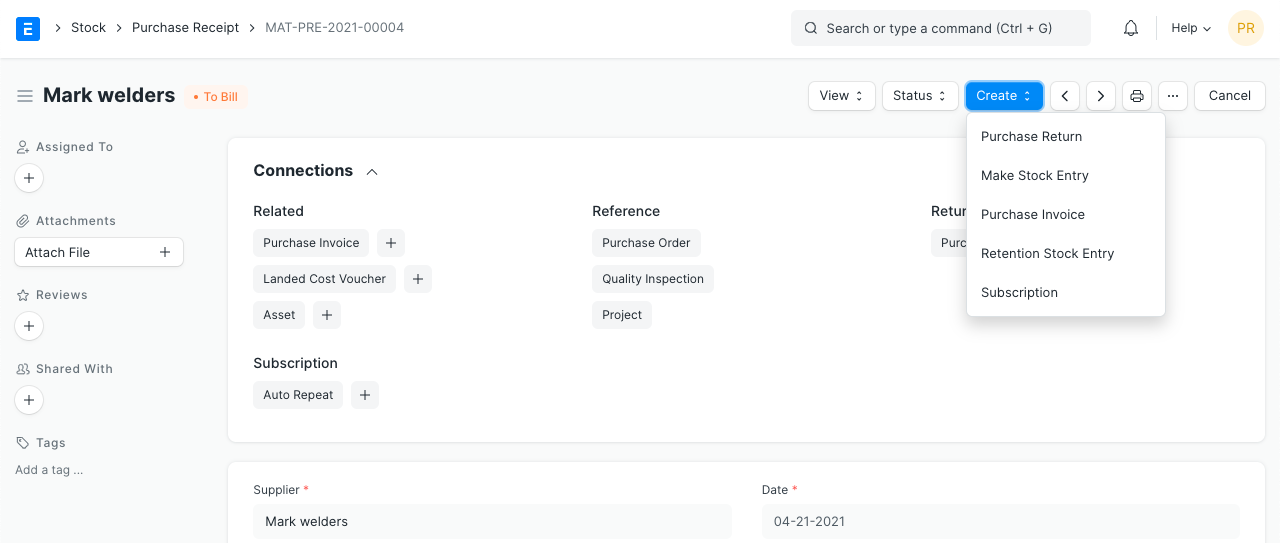
Record the receipt
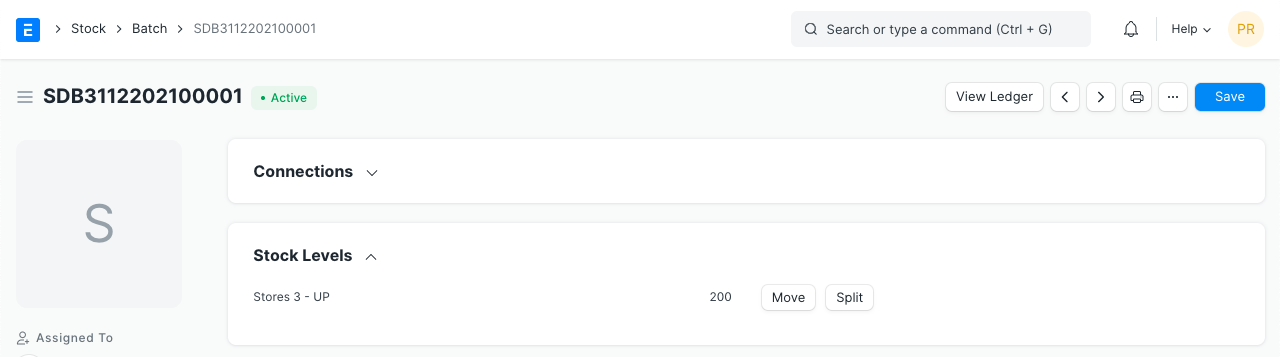
Check the received quantities and linked supplier documents. Inspect the Batch example for configured batch records.
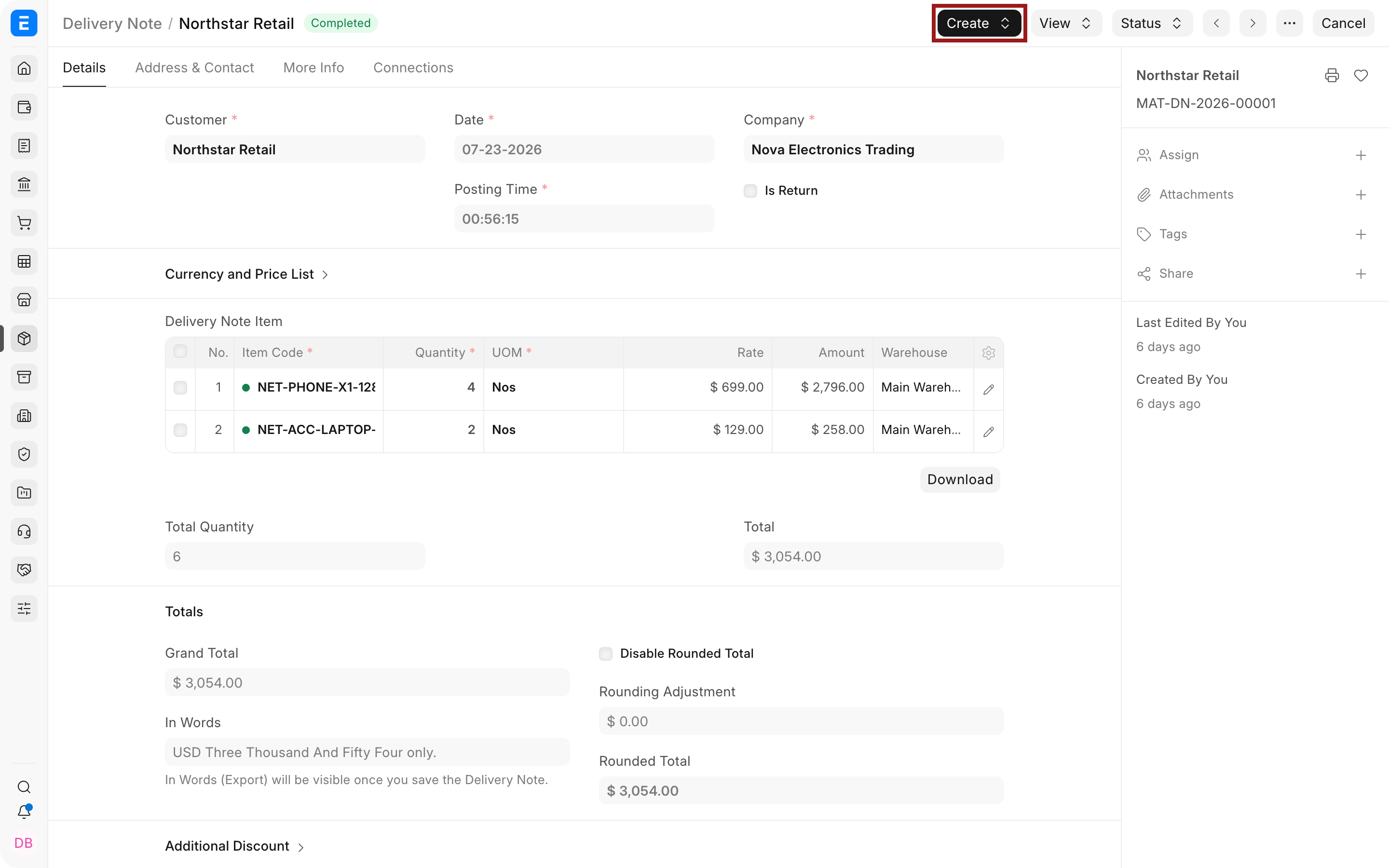
Record the dispatch
A Delivery Note records the goods leaving the warehouse against the customer commitment.
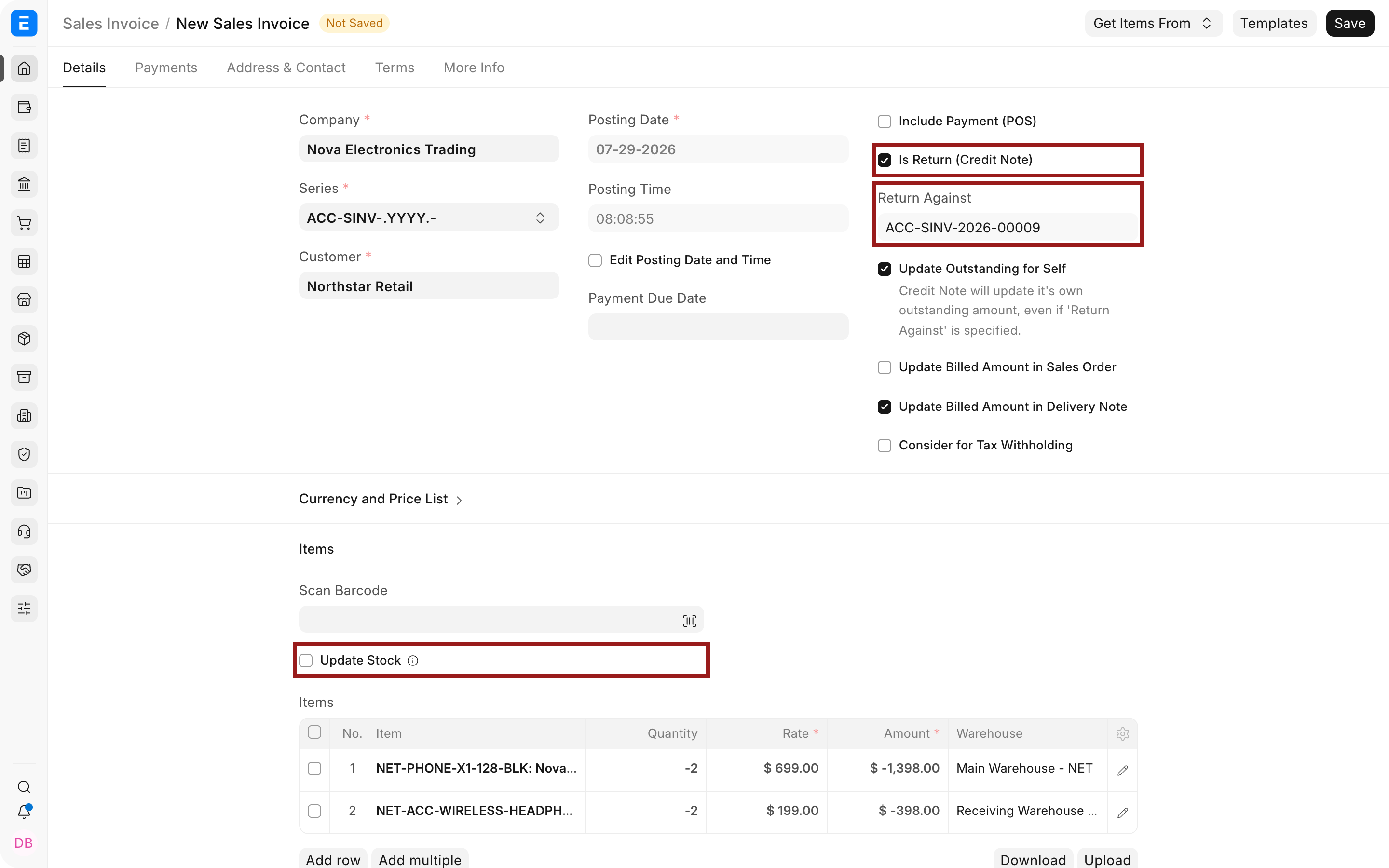
Review the return and credit
Check the originating invoice and stock treatment. Use Stock Ledger to investigate the movement.
The people doing the work
One set of records. Different responsibilities.
Warehouse teams
Record receipts, dispatches and returns where the goods move.
Sales and operations
Review available stock and outstanding quantities before promising another delivery.
Finance
Match returns and credits to the sale, then reconcile the customer balance.

Connected modules
Connect warehouse records and distributor activity.
- Inventory
Manage warehouse and batch records.
- Distribution Management System
Evaluate proprietary YoloWorks for distributor operations.
- Field Sales Tracking
Review YoloWorks store visits and area activity.