
Healthcare administration
Know what your clinic needs.See what has arrived.
Keep your supply requests, purchases and supplier bills connected in Frappe ERP, so a missing delivery does not take a round of calls to trace.
The daily problem
An order placed is not a delivery received.
Department supply requests pass between purchasing and stores. Orders, short receipts and supplier bills sit in separate records. As the owner, you cannot easily see what’s needed, ordered, received or owed.
We connect the administrative work: supplies, purchasing and supplier accounting. Patient records and clinical decisions stay in your specialist systems. Your team still checks whether the goods are suitable to use. These administrative records are not a validated pharmaceutical quality management system. Tracking expiry dates does not automatically prevent unsuitable supplies being issued.
See what’s needed, ordered, received and owed.
Connect department requests, purchases, stock and supplier bills in Frappe ERP, so you can follow spending and spot incomplete deliveries.
See what departments need
See which supplies each department needs, in what quantity and by when.
Know what’s on order
See what purchasing has ordered and from whom before placing another order.
Spot short deliveries
Compare what arrived with what was ordered. Staff check condition and record accepted and rejected quantities.
Stock by location
See supplies by location before buying more. Batch and expiry tracking requires item setup. Expiry tracking does not replace staff checks or physical separation of unsuitable goods.
Check supplier bills
Check bills against receipts before recording what you owe each supplier.
Department costs
Review spending by department, using cost allocations agreed with your finance team.
Inside Frappe ERP
See the records behind the work.
Inspect a supply request and the receipt linked to supplier billing.
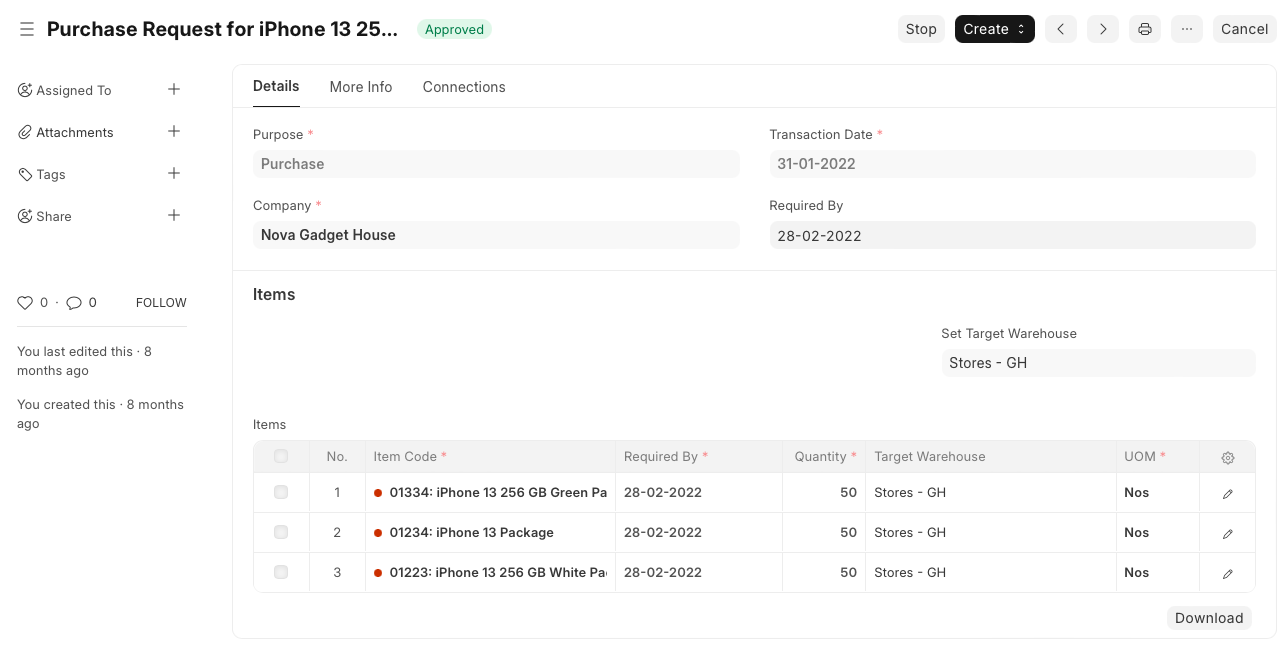
Specify what is needed
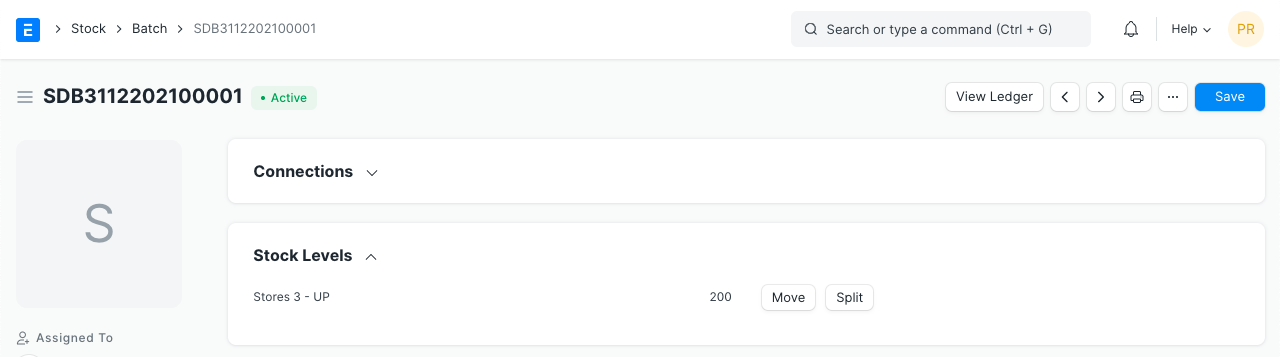
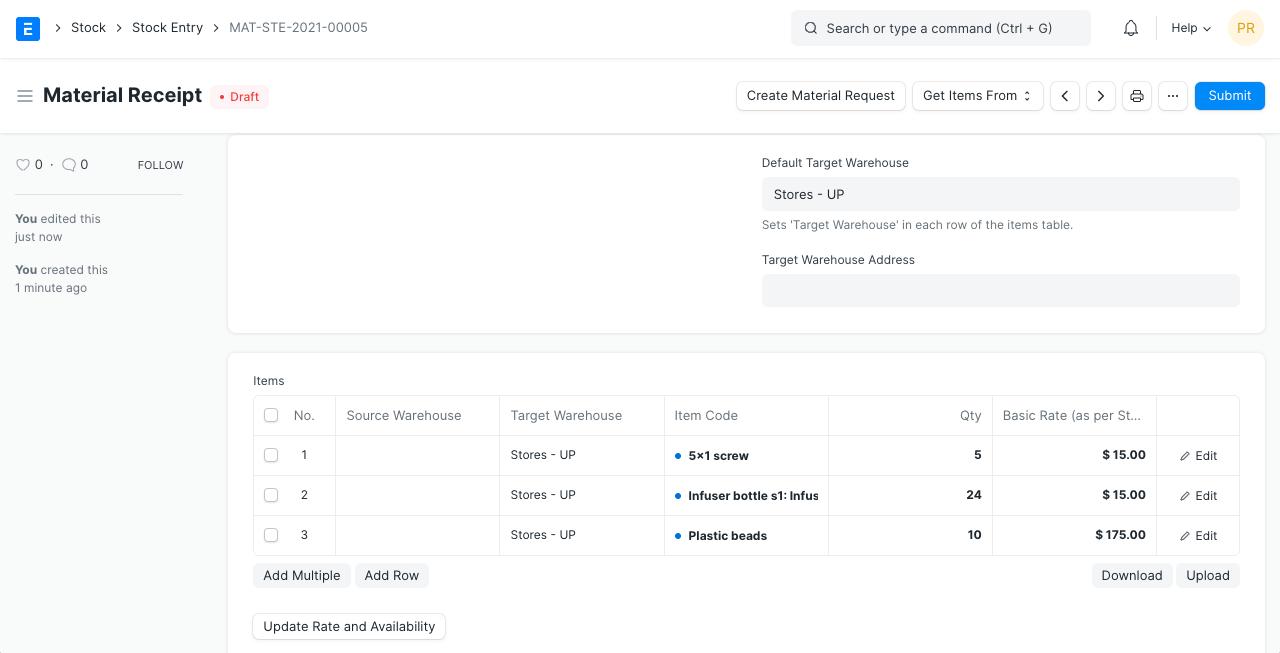
Material Request keeps item quantities, required dates and the receiving warehouse together. Batch details depend on item setup. Stock Entry records warehouse movements; this example shows a material receipt.
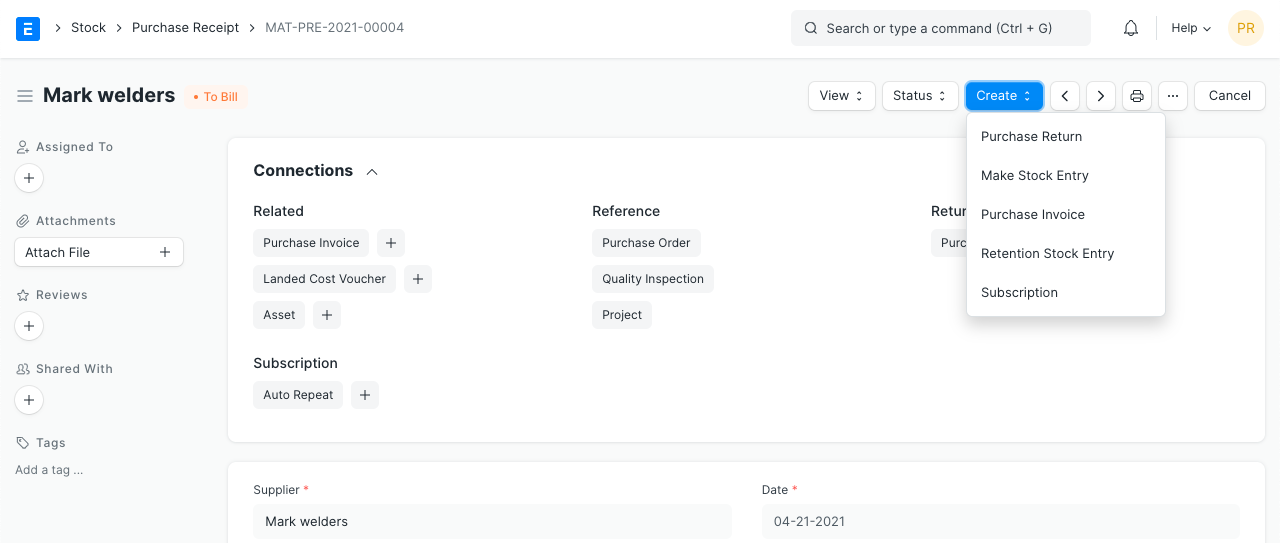
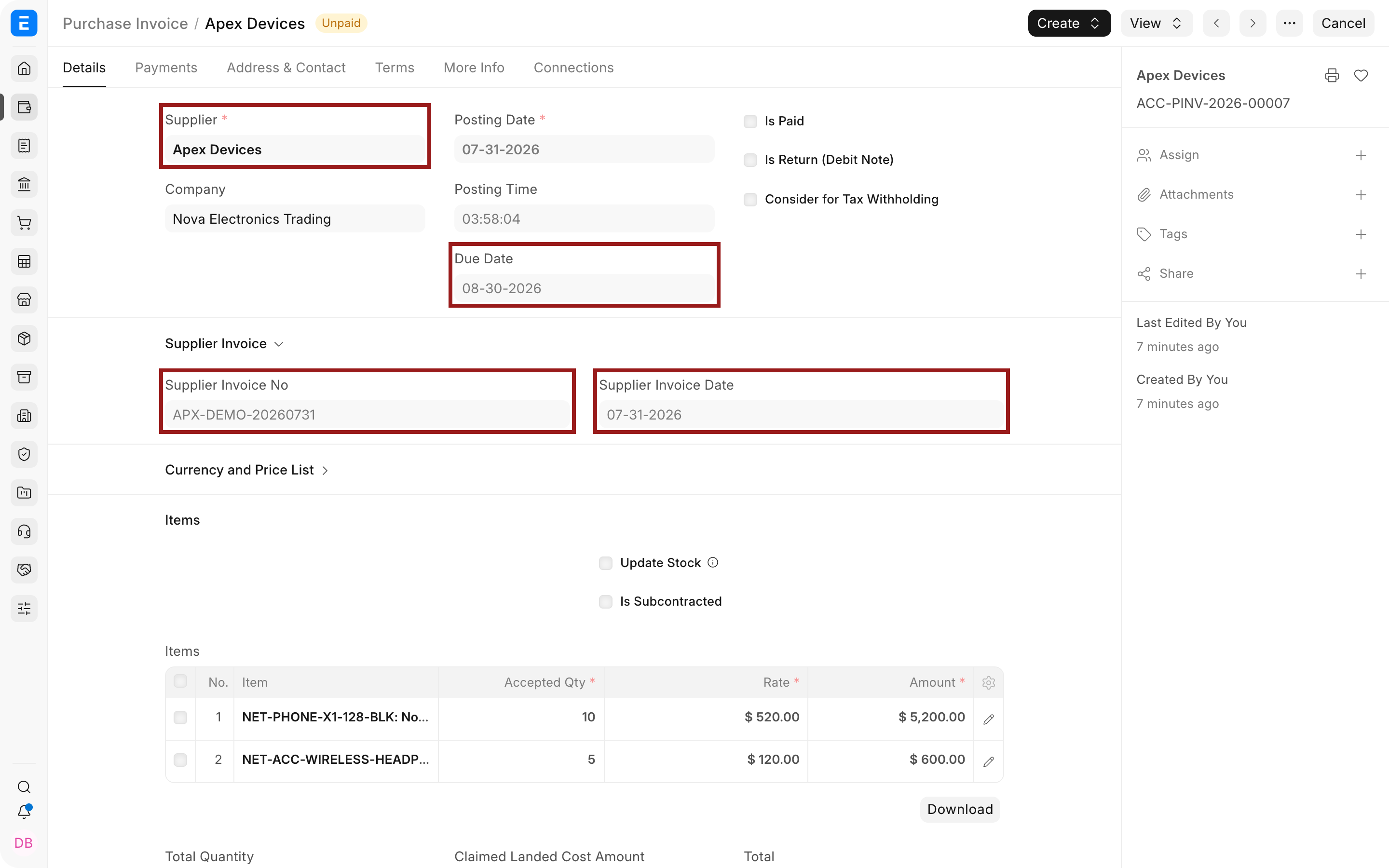
Connect the receipt to the bill
This Purchase Receipt shows linked documents and the actions to create an invoice or return. Purchase Invoice records the supplier bill.
The people doing the work
One set of records. Different responsibilities.
Clinic owners
Review outstanding purchases and supplier costs without asking each department to reconstruct its spending.
Stores and purchasing
Check stock before buying. When a delivery is short, record what arrived and take the discrepancy back to the supplier.
Finance
Use receipt references to review supplier bills. Agree with stores how departmental consumption reaches the accounts.

Connected modules
Connect supplies and spending around care delivery.
- Purchasing
Track requests, receipts and supplier exceptions.
- Inventory
Review batches, transfers and counts.
- People
Assess the separate Frappe HR app for administrative workforce needs.