
CFO / Controller
Close the books with the records behind every balance.
A receipt arrives after the supplier invoice. A customer payment sits against the wrong account. Your close should expose those differences before they become another spreadsheet adjustment. Connect finance to the purchasing and stock records in Frappe ERP.
Explore the workflow
Follow a balance back to the work.
Start with the reconciliation that holds up the close.
Bring the working paper, the ledger extract and the unresolved items. We will trace the difference to its originating transaction.
Payment allocation
Match the payment to the invoice
Payment Entry records money received or paid. An advance or unallocated amount still needs attention when the invoice becomes available. Define who matches those amounts and who reviews the remaining exceptions before period end.
Test it with your team
Use one receipt covering several invoices and an overpayment. Confirm the outstanding balance and the treatment of the remaining credit; a bank match alone does not prove the customer allocation is correct.
Bank review
Reconcile the bank separately
Bank Reconciliation connects statement transactions to accounting records. Keep the statement date, ledger posting date and clearance date distinct. Decide how the team handles bank charges and items recorded in only one system.
Test it with your team
Reconcile a statement with a fee and an uncleared payment. Name the reviewer for unmatched lines. Bank-feed availability depends on the bank and integration selected.
Period close
Review the close by responsibility
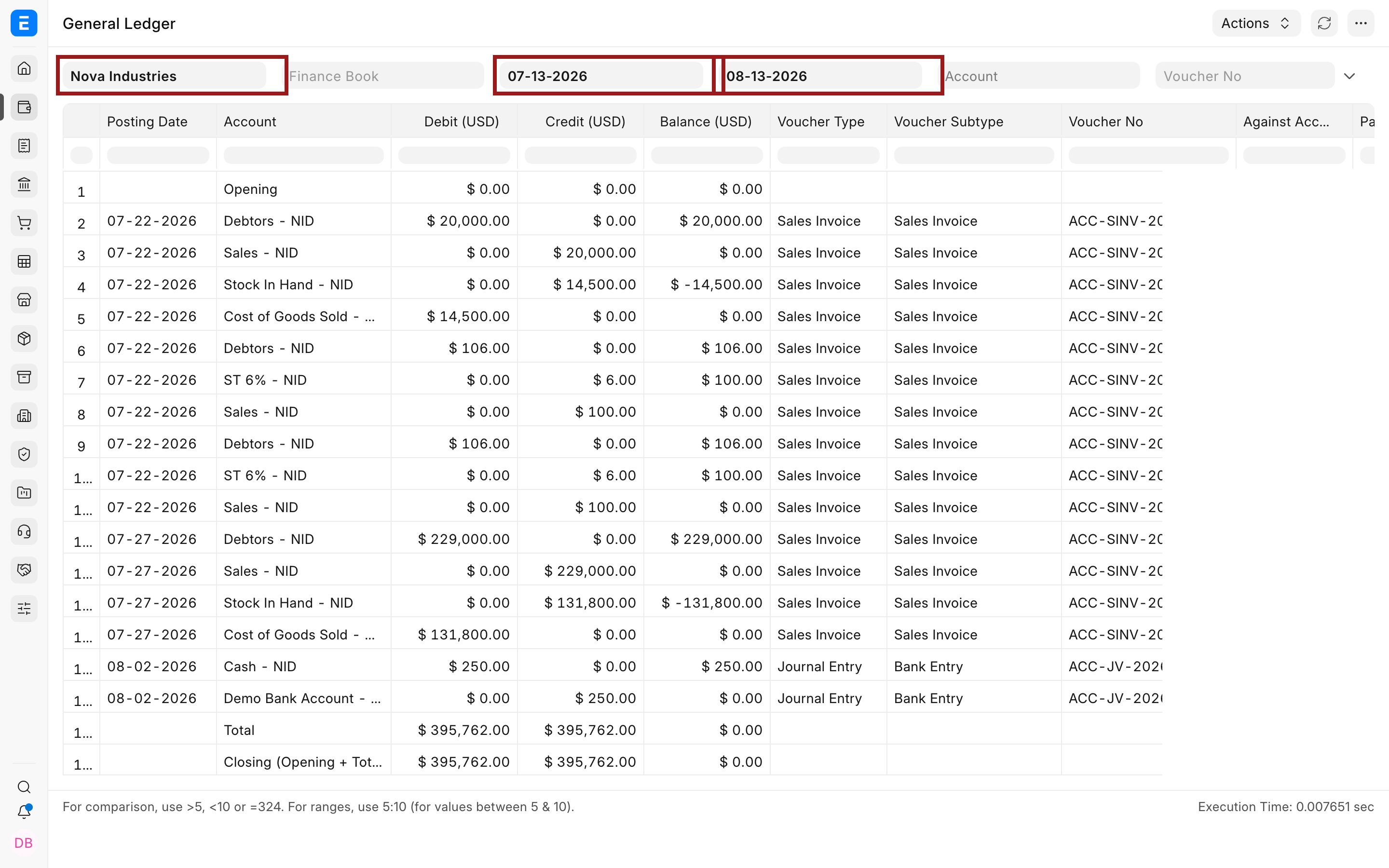
Use the General Ledger for voucher investigation and the Trial Balance for account balances. Accounting dimensions let finance review activity by an agreed business unit or branch without creating an account for every reporting combination.
Test it with your team
Trace one department expense into its source voucher, then compare the same period and Company in the Trial Balance. Agree which late entries require reopening the review.
Operational controls and reporting
Give the review a clear owner.
Agree the scope
Tax, localization and statutory reporting need review for each entity. Your finance adviser owns accounting policy; ERPNova configures the approved rules and tests the resulting entries. Screens show sample records, not ERPNova client results, and may show an older interface. We verify behavior against the version and apps selected for your implementation.
ERPNova delivery
Prove the fit with your records.
Design the close
We map the chart of accounts, dimensions and review responsibilities using your actual close checklist.
Prove the opening position
We reconcile migrated outstanding invoices and advances to the agreed trial balance before finance signs off.
Rehearse a period end
Your team runs the close in the test system. We document unresolved differences and the correction path before cutover.

Connected modules
Connect spending, balances and the close.
- Accounting & Finance
Investigate balances and payment allocations.
- Purchasing
Trace invoices to orders and receipts.
- Inventory
Reconcile stock movements with valuation.