
Operations Head
Keep the order moving when the plan changes.
A partial receipt changes what can ship. A rejected component changes what can be made. Give purchasing, the warehouse and production a connected record of the order in Frappe ERP, with responsibility for the next handoff.
Explore the workflow
Follow the order through the handoffs.
Test the exception that crosses departments.
A normal order proves the basic sequence. A short delivery followed by a return reveals who owns the decisions between teams.
Material demand
Turn demand into a purchase decision
Material Requests record what is needed and where. For manufactured items, Production Plan can calculate material requirements against demand and projected quantity. Review the underlying orders before accepting the shortage as a new buying instruction.
Test it with your team
Use a material already on an open purchase order. Check the warehouse, required date and planning settings so the buyer can explain the quantity requested.
Goods receipt
Receive what actually arrived
Purchase Receipt separates the receipt of goods from the supplier bill. Record accepted and rejected quantities in their intended warehouses. Where inspection is required, agree when goods become available for operational use.
Test it with your team
Receive a short shipment with one rejected line. Ask the buyer and warehouse supervisor to identify the remaining supplier commitment without relying on a message thread.
Dispatch and returns
Dispatch part of the order
Delivery Notes support partial deliveries against a Sales Order. The remaining quantity still needs an explicit decision. A later sales return must follow the original documents and the agreed destination for returned goods.
Test it with your team
Ship the available quantity, then process a customer return. Confirm stock, order status and the finance handoff. Carrier labels and handheld scanning require their own integration and device tests.
Operational controls and reporting
Give the review a clear owner.
Agree the scope
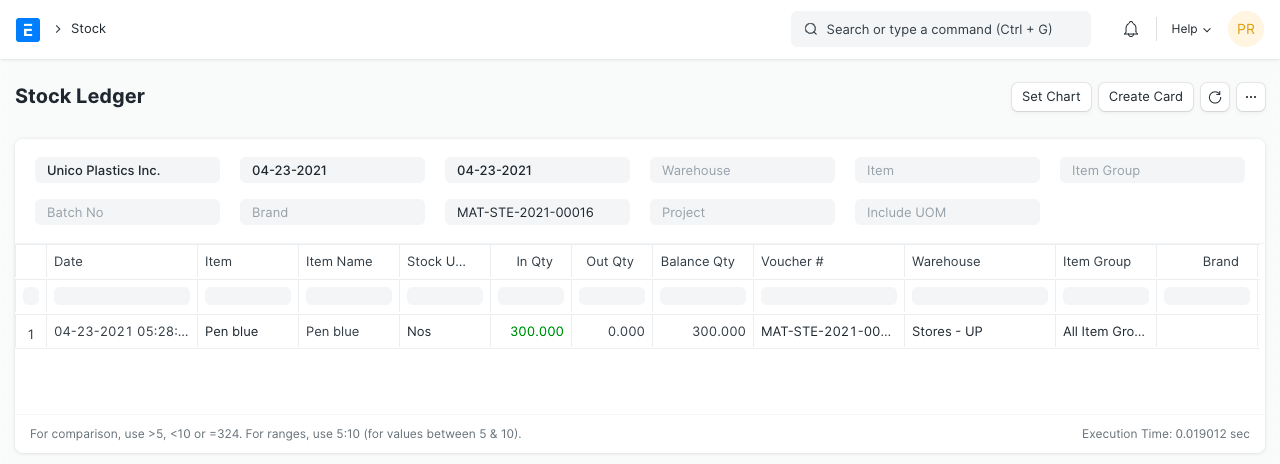
Planning records depend on timely shop-floor and warehouse entry. Frappe ERP does not replace the physical count, receiving discipline or supervisor decision when priorities conflict. Screens show sample records, not ERPNova client results, and may show an older interface. We verify behavior against the version and apps selected for your implementation.
ERPNova delivery
Prove the fit with your records.
Observe a full order
We map the physical handoffs alongside the records, including who enters each transaction and on which device.
Configure exceptions
ERPNova tests partial receipts, rejected material and returns with the departmental owners.
Cut over with stock evidence
We agree the count window, open-order migration and reconciliation before the warehouse begins live entry.

Connected modules
Follow the handoff from stock to customer.
- Inventory
Track transfers and count differences.
- Manufacturing
Follow work orders and material consumption.
- Purchasing
Manage the remaining supplier commitment.