
Owner / Founder
See which orders need your decision.
Your sales report says business is growing. The warehouse is waiting for stock, and the bank balance tells a different story. Start with one order and connect the commitments, delivery and cash behind it in Frappe ERP.
Explore the workflow
Make the next commitment with the facts.
Pick the decision you keep making from memory.
A purchase to approve, a customer to chase or a delivery to renegotiate is a better starting point than a list of software features.
Customer commitments
Check what the business has promised
Use the Sales Order as the record of customer items, quantities and delivery dates. Agree who may change that promise after acceptance. A salesperson entering an optimistic date does not make material available.
Test it with your team
Bring an order that slipped. Trace the missing stock or purchasing dependency and decide who should have raised the exception before the customer called.
Spending approval
Approve spending with its purpose attached
Link purchasing decisions to a Material Request and Purchase Order where that process fits. An approval workflow can route the decision by role and conditions; the amounts and delegation rules are configuration work.
Test it with your team
Walk through an urgent purchase while the usual approver is away. Record who can approve it, what evidence they need and how the owner reviews the exception later.
Cash review
Separate booked sales from available cash
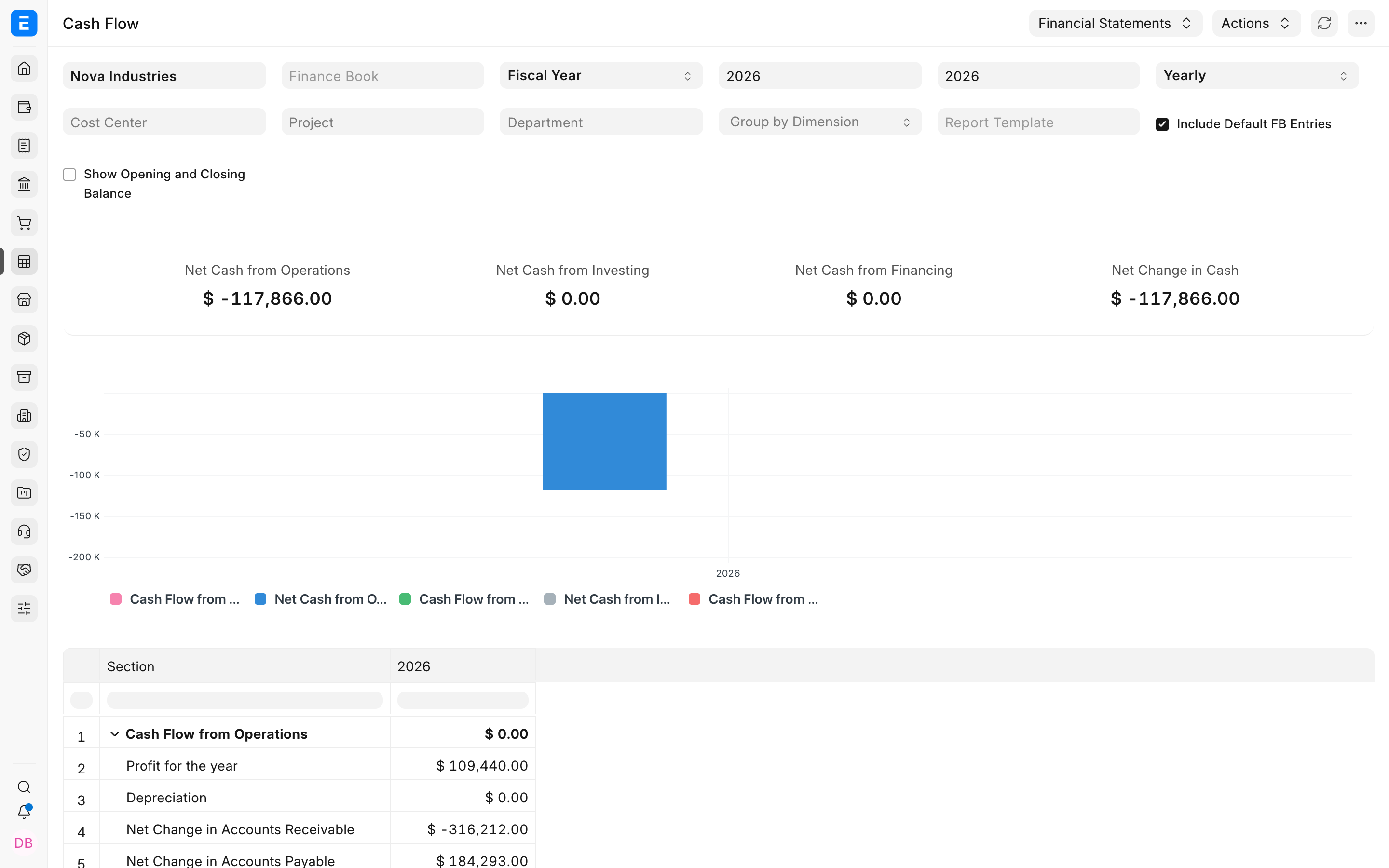
Accounts Receivable shows unpaid customer balances. Cash Flow describes cash movement over a period. Use them together in your weekly review instead of treating the sales total as money available to spend.
Test it with your team
Compare one unpaid invoice, one advance and one supplier bill due soon. Define the cash-review worksheet if your forward-looking forecast needs inputs beyond standard reports.
Operational controls and reporting
Give the review a clear owner.
Agree the scope
Frappe ERP is the operational core. Frappe CRM and Frappe HR are separate apps to evaluate when sales engagement or people administration needs its own workspace. Add them against a specific requirement. Screens show sample records, not ERPNova client results, and may show an older interface. We verify behavior against the version and apps selected for your implementation.
ERPNova delivery
Prove the fit with your records.
Choose the first release
ERPNova turns the recurring decision into a bounded workflow with an accountable internal owner.
Keep the team available
We agree who cleans records and rehearses transactions. A small rollout still needs time from the people doing the work.
Accept it with real exceptions
We demonstrate a delayed delivery and an unpaid order, then document what you can decide without asking someone to assemble another spreadsheet.

Connected modules
See how sales, stock and cash connect.
- Sales & CRM
Connect the accepted order to commercial follow-up.
- Accounting
Review receivables and cash movement.
- Purchasing
Set a clear spending decision.