
Accounting firms & CPAs
Give your review the records behind the client’s books.
The ledger arrives, but the receipt, approval and stock adjustment are still in three other places. Connect your client’s operating records in Frappe ERP while keeping accounting advice, transaction entry and technical delivery clearly assigned.
Explore the workflow
Make the client handoff reviewable.
Agree who prepares and who reviews.
Use one client-authorized close file to define the engagement. Access to the ERP should follow that agreement, not substitute for it.
Engagement setup
Set the engagement boundary
The client authorizes access and identifies its internal transaction owners. Your firm defines the accounting review it has been engaged to perform. ERPNova configures the system; we do not assume responsibility for your tax opinions or professional sign-off.
Test it with your team
Write down who can submit adjustments, change master data and approve payments. Test the proposed reviewer account against the agreed permissions before sharing client records.
Transaction evidence
Request the missing evidence at its source
A Purchase Invoice can link to its Purchase Order or Purchase Receipt. Review those records when quantity or rate does not agree with the supplier bill. Ask the receiving team to correct the operational record rather than silently absorbing the difference into a journal.
Test it with your team
Use a supplier invoice for a short receipt. Have the client resolve the discrepancy and show how the reviewer can find the resulting document and ledger entry.
Reconciliation
Review the reconciliation with the preparer
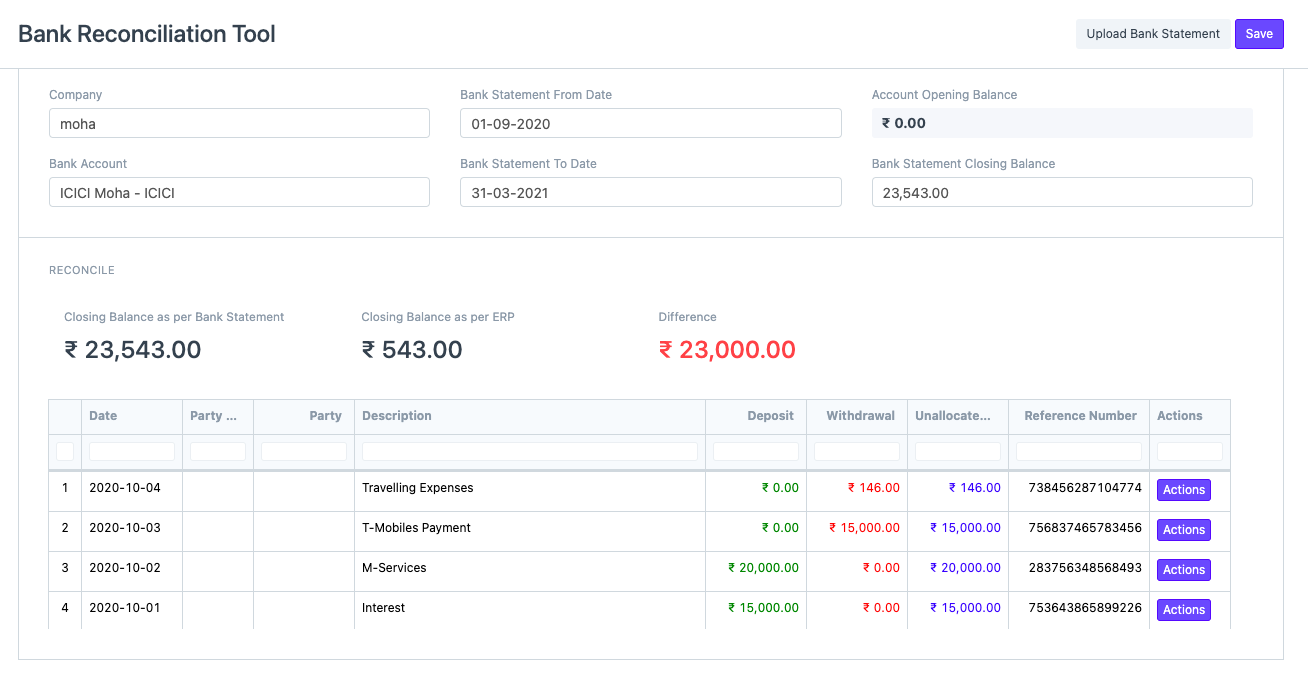
Bank Reconciliation and accounting reports support investigation of outstanding items. Establish which exceptions the client clears before your review and which require an accounting judgement. Keep unresolved questions with the working papers and assigned owner.
Test it with your team
Trace an uncleared payment and an unallocated customer receipt. Confirm the ledger period, statement coverage and review evidence before agreeing that the reconciliation is complete.
Operational controls and reporting
Give the review a clear owner.
Agree the scope
This is a delivery collaboration, not a claim of a regulated accounting service or an automatic partner program. Client consent, professional obligations and commercial responsibilities remain part of the engagement agreement. Screens show sample records, not ERPNova client results, and may show an older interface. We verify behavior against the version and apps selected for your implementation.
ERPNova delivery
Prove the fit with your records.
Map the review pack
ERPNova works with your designated reviewer and the client’s process owner to agree reports and permissions.
Reconcile the migration
We prepare the agreed import and exception log. Your firm or the client’s finance lead approves the opening balances.
Document the handoff
We train the preparers on the transactions they own and record where operational support ends and professional review begins.

Connected modules
Follow each client’s books into the product.
- Accounting
Review balances and payment exceptions.
- Purchasing
Locate the supplier transaction evidence.
- Hosting
Assess client data separation and access.